

Expression Tab

Overview
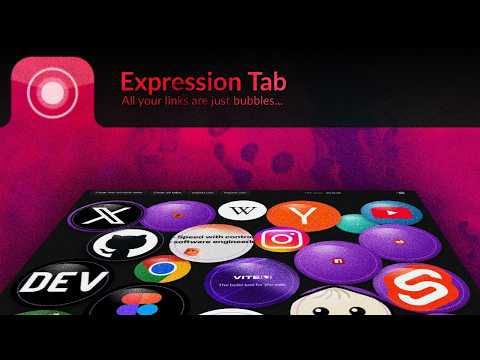
Expression Tab - Your Bubble Expression - A Speed Dial Extension for Chrome
Expression Tab replaces the Chrome new tab page with a searchable interface for browsing history and bookmarks, organized by host. It helps you quickly find previously visited pages and manage your bookmarks in one place. Key features: - Search across your browsing history and bookmarks from a single search bar. - Bookmarks are automatically grouped by host for easy navigation. - Clean, distraction-free design that puts your data front and center. - Optional custom or daily wallpaper backgrounds with attribution when available. How to use it: 1. Install Expression Tab from the Chrome Web Store. 2. Open a new tab — Expression Tab loads automatically. 3. Type in the search bar to find history or bookmarks. 4. Click any host group to see its items, or use the star icon to create a new bookmark. Privacy note: History and bookmarks stay in your browser. The extension may fetch site icons and (if you use wallpaper features) background images from the web; it does not upload your history or bookmarks to Expression Tab servers. See the privacy policy for details.
0 out of 5No ratings
Details
- Version0.1.0
- UpdatedSeptember 30, 2026
- Offered byxfactorial.com
- Size303KiB
- LanguagesEnglish
- Developer
Email
art@xfactorial.com - Non-traderThis developer has not identified itself as a trader. For consumers in the European Union, please note that consumer rights do not apply to contracts between you and this developer.
Privacy

Expression Tab has disclosed the following information regarding the collection and usage of your data. More detailed information can be found in the developer's privacy policy.
Expression Tab handles the following:
This developer declares that your data is
- Not being sold to third parties, outside of the approved use cases
- Not being used or transferred for purposes that are unrelated to the item's core functionality
- Not being used or transferred to determine creditworthiness or for lending purposes
Support
For help with questions, suggestions, or problems, please open this page on your desktop browser