


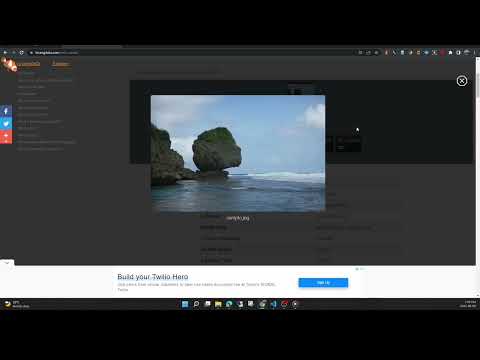
نمای کلی
View the EXIF data in your photos. Select photos on your device or on a web page. Simply right-click on an image in a web page.
This free tool lets you open an image from your device, or from a URL, and view its Exif data. You can view the Exif data of a image on any web page by right-click the image and selecting View Exif Info. If the photo contains GPS data, you can view a Google map of the photo's location in a browser tab. There's lots of interesting information held in image files for you to explore. Some images have GPS data, so you can see exactly where it was taken. Some camera makes (like Nikon and FujiFilm) also record the camera's shutter count in the Exif data. A history of your last 10 image URLs is saved for faster selection. Explore other tools from LinangData from the More tools menu, including: Color Picker, Photo Editor; Sketch; the LinangData YouTube channel, etc. Release Notes: 1.0.20 - fixed css issue 1.0.19 - bug fixes
۲٫۸ از ۵۱۸ ردهبندی
جزئیات
- نسخه1.0.20
- تاریخ بهروزرسانی۷ شهریور ۱۴۰۲
- اندازه1.46MiB
- زبانهاEnglish (United States)
- توسعهدهندهوبسایت
ایمیل
info@linangdata.com - غیرتاجراین توسعهدهنده خودش را بهعنوان فروشنده معرفی نکرده است. اگر مصرفکنندهای در اتحادیه اروپا هستید لطفاً توجه داشته باشید که حقوق مصرفکننده برای قراردادهای میان شما و این توسعهدهنده اعمال نمیشود.
حریم خصوصی

این توسعهدهنده اعلام میکند که دادههای شما
- خارج از موارد استفاده تأییدشده، به اشخاص ثالث فروخته نمیشود
- برای اهداف نامرتبط با عملکرد اصلی مورد استفاده یا منتقل نمیشود
- برای تعیین اعتبارمندی یا برای اهداف وامدهی استفاده یا منتقل نمیشود
پشتیبانی
برای دریافت راهنمایی درباره سؤالها، پیشنهادها، یا مشکلات، لطفاً این صفحه را در مرورگر رومیزیتان باز کنید