


نظرة عامة
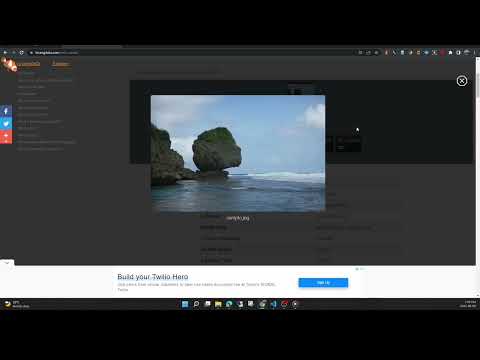
View the EXIF data in your photos. Select photos on your device or on a web page. Simply right-click on an image in a web page.
This free tool lets you open an image from your device, or from a URL, and view its Exif data. You can view the Exif data of a image on any web page by right-click the image and selecting View Exif Info. If the photo contains GPS data, you can view a Google map of the photo's location in a browser tab. There's lots of interesting information held in image files for you to explore. Some images have GPS data, so you can see exactly where it was taken. Some camera makes (like Nikon and FujiFilm) also record the camera's shutter count in the Exif data. A history of your last 10 image URLs is saved for faster selection. Explore other tools from LinangData from the More tools menu, including: Color Picker, Photo Editor; Sketch; the LinangData YouTube channel, etc. Release Notes: 1.0.20 - fixed css issue 1.0.19 - bug fixes
2.9 من 517 تقييمًا
التفاصيل
- الإصدار1.0.20
- تم التحديث29 أغسطس 2023
- الحجم1.46MiB
- اللغاتEnglish (United States)
- مطوّر برامجموقع إلكتروني
البريد الإلكتروني
info@linangdata.com - غير تاجرلم يعرِّف هذا المطوِّر نفسه بصفته جهة تجارية. بالنسبة إلى المستهلكين في الاتحاد الأوروبي، يُرجى العِلم أنّ حقوق المستهلك لا تسري على العقود المُبرمة بينك وبين هذا المطوِّر.
الخصوصية

يُقِرّ هذا المطوِّر بأنّ بياناتك:
- لا يتم بيعها لأطراف ثالثة خارج إطار حالات الاستخدام المُتفَق عليها.
- لا تُستخدَم أو تُنقَل لأغراض غير متعلِّقة بالوظيفة الرئيسية للعنصر.
- لا تُستخدَم أو تُنقَل لتحديد الأهلية الائتمانية أو لأغراض الإعارة.
دعم
للحصول على مساعدة بخصوص الاستفسارات أو الاقتراحات أو المشاكل، يُرجى فتح هذه الصفحة على متصفّحك المتوافق مع أجهزة الكمبيوتر المكتبي