

Excali Up: Local Vault, Motion Effects & GIFs

Overview
Auto-save drawings to local disk vaults, animate GIFs and SVGs, add motion effects, and browse Iconify inside Excalidraw.
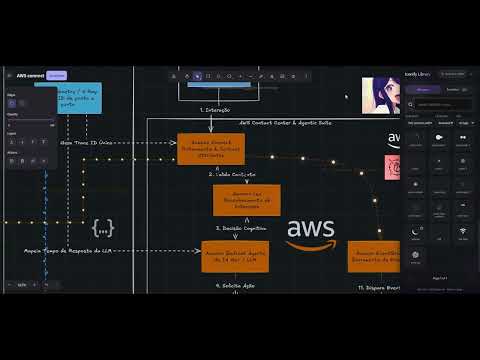
Excali Up brings native local file management, animated playback, per-element flow motion, and a massive icon library directly into Excalidraw. 1. Local Vault & Auto-Save File Manager 2. Iconify Library Integration 3. Motion Flows & In-Canvas Tuning 4. GIF & Animated SVG Playback Check the codebase in: https://github.com/klysman08/Excaliup Here is a set of strong, impactful bullet points formatted for a software engineer or product resume, categorized by functional area: Excali Up Feature Enhancements Local Vault & Storage Architecture: Engineered a native browser-based local file manager utilizing the File System Access API, featuring a debounced background auto-sync engine (1.2s threshold) with real-time UI canvas status indicators and slide-over directory navigation. Icon Library Integration: Integrated Iconify’s library of 300,000+ vector icons across 200+ collections, implementing paginated rendering (96 items/page), global/pack search, dynamic SVG theme color adaptation, and precise drag-and-drop canvas placement. Interactive Canvas Motion & Animation Engine: Developed a per-element vector flow animation system with a floating contextual toolbar, allowing independent tuning of motion styles (particles, gradient pulse, electricity), direction, speed, element scaling, and bloom effects on active canvas paths. Media Playback Engine: Implemented real-time, in-canvas rendering and playback support for animated GIFs and native SMIL/CSS SVG animations, complete with variable speed controls (0.5x–2x) via an extension popup dashboard.
0 out of 5No ratings
Details
- Version5.0.0
- UpdatedAugust 12, 2026
- Offered byklysman08
- Size74.57KiB
- LanguagesEnglish
- Developer
Email
klysman.rk@gmail.com - Non-traderThis developer has not identified itself as a trader. For consumers in the European Union, please note that consumer rights do not apply to contracts between you and this developer.
Privacy

Excali Up: Local Vault, Motion Effects & GIFs has disclosed the following information regarding the collection and usage of your data. More detailed information can be found in the developer's privacy policy.
Excali Up: Local Vault, Motion Effects & GIFs handles the following:
This developer declares that your data is
- Not being sold to third parties, outside of the approved use cases
- Not being used or transferred for purposes that are unrelated to the item's core functionality
- Not being used or transferred to determine creditworthiness or for lending purposes
Support
For help with questions, suggestions, or problems, visit the developer's support site