

Excali Local
1 rating
)
Overview
Offline Excalidraw in your browser: annotate screenshots, edit and organize drawings locally, and present. No account, no uploads.
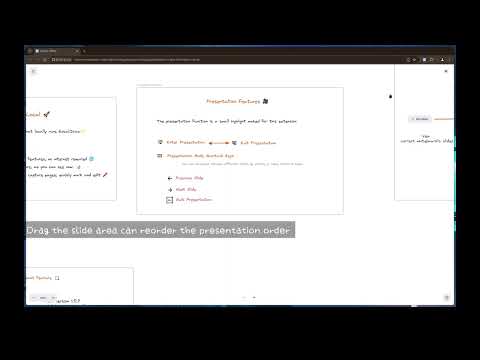
Excali Local is a local-first, offline Excalidraw app that lives entirely in your browser. Capture a page or select an area and annotate it, use the complete Excalidraw editor with no internet connection, keep every drawing in a private local gallery, turn drawings into presentations, and customize fonts with your own .ttf/.woff/.woff2 files. Nothing leaves your device — no backend, no account, no uploads. What you can do: - Screenshot annotation: capture a full page or select an area, then annotate in Excalidraw. - Offline editor: the complete Excalidraw experience, no connection required — now with full dark mode support. - Gallery & collections: save, organize, search, export, and import drawings — all stored locally in your browser. - Presentation mode: turn any drawing into a slide-based presentation. - Custom fonts: upload your own fonts or use system fonts on a fully offline build of Excalidraw 0.18. - Direct .excalidraw opening: recognized files get an instant "Open with Excali Local" action. - Realtime collaboration: collaborate with your team in real-time over a self-hosted relay — end-to-end encrypted private rooms, member presence, and live cursors. No project-operated server needed. Your drawings stay private — Excali Local works fully offline with no account and no servers.
5 out of 51 rating
Details
- Version1.9.0
- UpdatedOctober 26, 2026
- Size3.52MiB
- Languages2 languages
- Developer
Email
wittywys@gmail.com - Non-traderThis developer has not identified itself as a trader. For consumers in the European Union, please note that consumer rights do not apply to contracts between you and this developer.
Privacy

This developer declares that your data is
- Not being sold to third parties, outside of the approved use cases
- Not being used or transferred for purposes that are unrelated to the item's core functionality
- Not being used or transferred to determine creditworthiness or for lending purposes
Support
For help with questions, suggestions, or problems, visit the developer's support site