

EveryLLM

Overview
Chat with EveryLLM from any tab. Conversations stay in sync with the EveryLLM app.
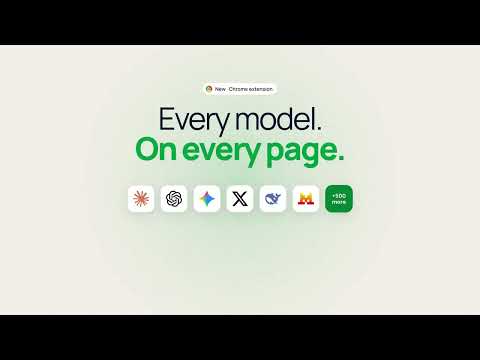
EveryLLM for Chrome puts your AI assistant in a side panel on any website. Ask about the page you are reading, get summaries and key numbers, draft replies in your inbox, and translate as you browse. One account, one history and one subscription, shared with the EveryLLM web app and mobile app, with access to more than 500 AI models. WHAT IT DOES Summarise any page Open the side panel on an article, a report, a product page or documentation and ask for a summary. Ask it to pull out the key numbers as a table, list the arguments for and against, or explain a paragraph in plain language. Copy the result or export it as CSV. YouTube, without the scrubbing On any YouTube video, get a summary and the key moments with timestamps, then jump straight to the part you need. Ask follow-up questions about what was said. Reply in Gmail with one click Tell it what you want to say, review the draft, make it shorter or more formal, and insert it into the compose box. It reads the thread so the reply fits the conversation. Translate and explain Translate the page you are on into any of 15 languages, or ask it to explain a chart, a contract clause or a line of code you have selected. Choose the model for the job Pick a model from the panel, or leave it on Auto and let EveryLLM route each request to the best one. Compare answers from up to three models side by side, or let Fusion have several models deliberate and a judge pick the best answer. Switch models mid-conversation without losing context. One history, everywhere Everything you do in the panel is saved to your EveryLLM history and workspaces, so a conversation you start in Chrome continues on the web app or on your phone. WHY INSTALL IT Stop switching tabs. The assistant sits next to the page, sees what you see, and answers in context. One subscription covers every model available in the panel. Summaries, tables, translations and replies land where you need them. HOW TO USE IT Install the extension and pin it to the toolbar. Sign in with your EveryLLM account, or start free with no card required. On any page, click the EveryLLM icon to open the side panel. Use the quick actions (Summarise, Ask about it, Translate) or type a question. On YouTube and Gmail the quick actions change to match the page. PRIVACY The extension reads the content of the page you are on only when you open the panel and ask it something. It does not track your browsing, does not collect your history, and does not sell data. Page content you send is processed to answer your request and stored in your EveryLLM history, which you can delete at any time. Full policy: everyllm.ai/privacy PERMISSIONS activeTab and scripting: to read the current page when you ask about it. sidePanel: to show the assistant beside the page. storage: to remember your sign-in and panel settings. ABOUT EVERYLLM EveryLLM is an all-in-one AI assistant: Agent mode that creates images, videos, 3D assets and slide decks, voice mode, scheduled tasks, messaging integrations, and an offline mode that runs a model on your own device. Available on the web, iOS and Android. Every model. One place. everyllm.ai
0 out of 5No ratings
Details
- Version0.1.2
- UpdatedOctober 14, 2026
- Size96.82KiB
- LanguagesEnglish
- DeveloperTEACHMECODE INSTITUTE
Email
george@teachmecode.aePhone
+971 55 257 9326 - TraderThis developer has identified itself as a trader per the definition from the European Union and committed to only offer products or services that comply with EU laws.
- D-U-N-S849951998
Privacy

EveryLLM has disclosed the following information regarding the collection and usage of your data. More detailed information can be found in the developer's privacy policy.
EveryLLM handles the following:
This developer declares that your data is
- Not being sold to third parties, outside of the approved use cases
- Not being used or transferred for purposes that are unrelated to the item's core functionality
- Not being used or transferred to determine creditworthiness or for lending purposes