

Envi – Environment Hub & Tools

Overview
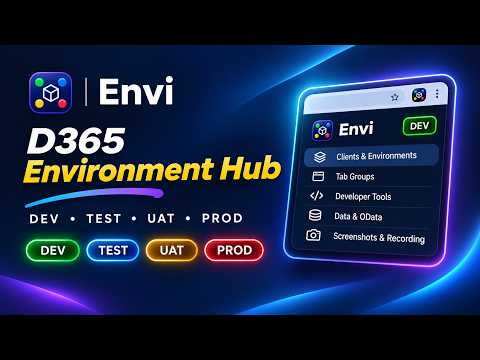
Every client. Every environment. One place. Environment markers, tab groups, alerts and tools for any web app and Dynamics 365.
Envi – Every client. Every environment. One place. Switching between DEV, TEST, UAT and PROD environments shouldn't be confusing. Envi helps developers, consultants, testers and support teams organize client environments, recognize where they're working and access their everyday tools faster. Whether you work with Microsoft Dynamics 365 Finance & Operations, Supply Chain Management, Business Central or other web applications, Envi keeps your environments organized and easy to navigate. ENVIRONMENT AWARENESS • Automatically recognize configured environments. • Display color-coded DEV, TEST, UAT and PROD markers directly on web pages. • Choose from tea bag, milestone, corner ribbon and classic pill markers. • Add a red production warning frame to help avoid mistakes. • Configure friendly alerts for sensitive screens. CLIENT & ENVIRONMENT MANAGEMENT • Organize unlimited clients and environments. • Quickly navigate between environments. • Open multiple related pages in colored browser tab groups. • Import environments from bookmarks, Excel or CSV. • Export configurations and sync them using your browser account. SCREENSHOTS & RECORDING • Capture screenshots of the visible page. • Capture full pages, including supported Dynamics 365 grids. • Annotate screenshots with arrows, highlights, text and redaction. • Record your screen and download MP4 videos, with WebM fallback where needed. • Automatically document actions with the built-in steps recorder. DYNAMICS 365 DEVELOPER TOOLS • Open table browsers, forms and menu items. • Build Dynamics 365 F&O OData queries. • Inspect screen and control metadata. • Access cache utilities and runnable classes with production safeguards. • Open Business Central pages, reports and administration tools. • Create custom shortcuts and save frequently used tools. PERSONALIZE YOUR EXPERIENCE • Apply dark, dim, sepia or high-contrast page themes. • Customize environment markers and their positions. • Save favourite environments, tools and queries. • Use the performance timer to record and compare activities. PRIVATE BY DESIGN • No Envi account, developer-operated server, advertisements or analytics. • Configuration is stored in your browser, with optional browser sync (enabled by default). • Screenshots and recordings remain on your device until you choose to share them. • Recorded steps remain in your browser session until cleared or the session ends. • Website permissions are requested when needed for configured environments and certain capture features. Envi is an independent developer utility and is not affiliated with or endorsed by Microsoft. Privacy Policy: https://hardik-patel-t.com/envi/privacy
0 out of 5No ratings
Details
- Version2.3.0
- UpdatedNovember 5, 2026
- Offered byhardik1845patel@gmail.com
- Size334KiB
- LanguagesEnglish
- Developer
Email
hardik1718patel@gmail.com - Non-traderThis developer has not identified itself as a trader. For consumers in the European Union, please note that consumer rights do not apply to contracts between you and this developer.
Privacy

Envi – Environment Hub & Tools has disclosed the following information regarding the collection and usage of your data. More detailed information can be found in the developer's privacy policy.
Envi – Environment Hub & Tools handles the following:
This developer declares that your data is
- Not being sold to third parties, outside of the approved use cases
- Not being used or transferred for purposes that are unrelated to the item's core functionality
- Not being used or transferred to determine creditworthiness or for lending purposes
Support
For help with questions, suggestions, or problems, visit the developer's support site