


總覽
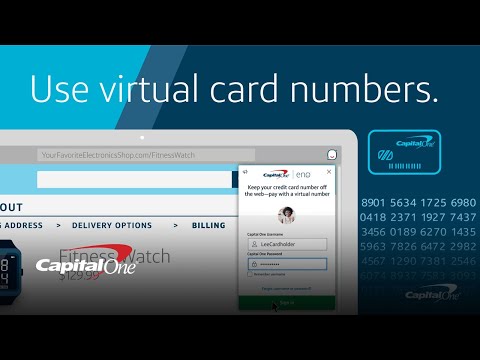
Shop more securely through your desktop browser with Eno®, your Capital One® assistant.
KEEP YOUR CREDIT CARD NUMBER TO YOURSELF Eno appears at checkout and provides a unique virtual card number only for that site, allowing you to shop online without exposing your actual card number. STEER CLEAR OF UNWANTED CHARGES Enjoy greater control over your online shopping experience. With Eno, you can lock or unlock your virtual card numbers anytime without affecting your other spending. SET IT AND FORGET IT Virtual card numbers keep working even if you get a new credit card, so you won't need to manually update your card information on the sites where you've stored one. Eno will handle it behind the scenes, automatically. CHECK OUT EFFORTLESSLY AND KEEP EARNING REWARDS Each purchase made with a virtual card number will be linked to your credit card account, so you’ll still earn the same benefits and rewards. To get started, add Eno to Chrome (it's free), and just click the Eno icon when you're ready to pay. For more information about how this extension collects and uses information, please review the Virtual Card Number Terms and Conditions here: https://www.capitalone.com/digital/eno/virtual-card-numbers/terms/ Eno is only available for certain Capital One cardholders. Not a customer yet? Apply for one of our credit cards here: https://capital.one/enochrome
4.6 分 (滿分 5 分)6650 個評分
詳細資料
隱私權

「Eno® from Capital One®」已揭露下列關於收集及使用資料的資訊。 如需更多詳細資訊,請參閱開發人員的《privacy policy》。
Eno® from Capital One® 會處理下列資料:
這位開發者就你的資料做出下列聲明:
- 除經核准的用途外,不會將你的資料販售給第三方
- 不會基於與商品核心功能無關的目的,使用或轉移資料
- 不會為了確認信用度或基於貸款目的,使用或轉移資料
支援
如有疑問或建議,請前往開發人員的支援網站