


Overview
The AI-first CRM for your LinkedIn inbox: connects the Bokka web app to your own messages. Adds nothing to LinkedIn's pages.
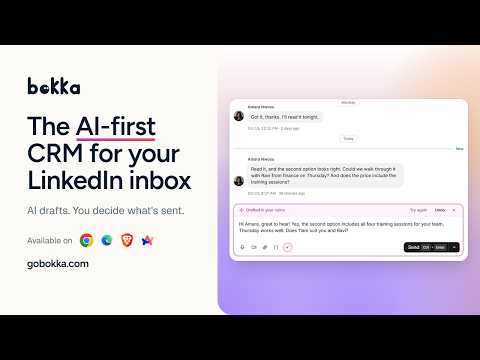
Bokka is the AI-first CRM for your LinkedIn inbox: read, organise and reply to your own LinkedIn messages in one fast inbox, with AI that drafts and sorts while you stay in control. This extension connects the Bokka web app (app.gobokka.com) to your LinkedIn account in this browser. You need a Bokka account and to be signed in to LinkedIn here. AI THAT WORKS FOR YOU • Draft replies in your voice. AI writes the draft; nothing is sent until you send it. • Sort your inbox with AI. It suggests labels, reminders and next steps, and you approve each one. • Transcripts for voice messages, so you can read them at a glance. • Summaries when you open a conversation, if you turn them on. A CRM INSIDE YOUR INBOX • Labels, notes and custom fields on every conversation. • Pipelines on a board, so you can move each person from first message to closed deal. • Reminders and snooze, so you see who is waiting on you and whom to follow up. • Snippets: write a message once and fill in each person's name and company. • Your network in one searchable list: connections, followers and invitations. • Voice and video messages, images and files, right in the conversation. • Run it all from the keyboard, or with the mouse. HOW THE EXTENSION WORKS • It makes the requests the Bokka app asks for, through your own LinkedIn session, one at a time and paced, only while you have Bokka open. It runs no background sync. • It adds nothing to LinkedIn's pages and doesn't read them. • When you go to LinkedIn's messaging page, it opens Bokka in a new tab. Turn that off in the toolbar icon's right-click menu. • Your messages, attachments and contacts' profiles stay in your browser. Our servers keep your account and what you organise (labels, stages, notes, reminders), never the text of your messages. • AI features send the text they need to our AI provider only to answer you, under zero data retention. It is never used to train a model. Works in Chrome, Edge, Brave and Arc. Privacy policy: https://app.gobokka.com/privacy Support: support@gobokka.com Bokka is an independent product and is not affiliated with, endorsed by or sponsored by LinkedIn.
5 out of 51 rating
Details
- Version0.3.0
- UpdatedOctober 24, 2026
- Size50.81KiB
- LanguagesEnglish
- DeveloperWebsite
Email
support@gobokka.com - Non-traderThis developer has not identified itself as a trader. For consumers in the European Union, please note that consumer rights do not apply to contracts between you and this developer.
Privacy

Bokka has disclosed the following information regarding the collection and usage of your data. More detailed information can be found in the developer's privacy policy.
Bokka handles the following:
This developer declares that your data is
- Not being sold to third parties, outside of the approved use cases
- Not being used or transferred for purposes that are unrelated to the item's core functionality
- Not being used or transferred to determine creditworthiness or for lending purposes