

Free Unlimited Email Tracker for Gmail, No Signature | TrackMailBox

Overview
Free unlimited email tracker for Gmail. Real-time open & click tracking. No signatures, no branding, no limits. Free forever.
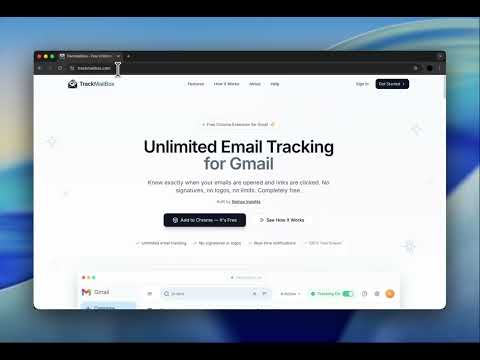
TrackMailBox is a free, unlimited email tracking Chrome extension for Gmail. with no signatures, no branding, and no hidden limits. The best free alternative to Mailtrack, Snov.io, and MailTag. Know exactly when your emails are opened, how many times they're read, and when your links are clicked. All in real time, directly inside Gmail. Works with Gmail. 🔥 WHY TRACKMAILBOX? Most email trackers either add embarrassing "Sent with [Tool Name]" signatures to your emails, cap free tracking at 10-20 emails per month, or lock basic features behind expensive paid plans ($10–$30/month). TrackMailBox is different - it's free forever: ✅ Truly free - no paid plans required for core tracking ✅ No signatures - your recipients never know you're tracking ✅ Unlimited tracking - no daily or monthly caps ✅ No branding on your emails - looks 100% professional ✅ No credit card required - install and start tracking in 30 seconds ✅ Invisible email tracker - completely undetectable by recipients Unlike Mailtrack (which adds a signature on free plans), unlike MailTracker by Hunter (which limits you to 20 emails/month), and unlike MailTag (which requires a paid plan for no-branding tracking) - TrackMailBox gives you everything for free. No catches. ⭐ KEY FEATURES 👁️ Real-Time Open Tracking & Email Read Receipts Get notified the instant someone opens your email. See exactly when they read it and how many times they came back to it. Think of it as a free read receipt for Gmail - without the recipient knowing. 🔗 Link Click Tracking Know when recipients click the links inside your emails. Track which links get the most engagement. Understand what content drives action. 📊 Email Performance Dashboard & Analytics Analyze your email performance with a built-in dashboard. See open rates, click rates, and engagement patterns at a glance. Track email open history for every message you send. 🔔 Instant Desktop Notifications Receive real-time Chrome notifications and email open alerts when your emails are opened - never miss the perfect moment to follow up. Know the exact right time to send a follow-up email. 📧 Seamless Gmail Integration No separate app to open. No external dashboard to check. TrackMailBox integrates directly into your Gmail compose window and inbox - works natively inside Gmail as if it were built in. 🔒 Privacy First & GDPR-Aware We never store or read your email body content. We never sell your data to third parties. Your tracking data is encrypted. Minimal permissions - we only request what's needed. 👤 WHO IS TRACKMAILBOX FOR? → Sales professionals & SDRs - Know which prospects are engaged before you follow up. Close deals faster with real-time email open tracking. → Freelancers & consultants - See when clients open your proposals and invoices. Follow up at the perfect moment. → Recruiters & HR professionals - Track which candidates are reading your outreach messages. Prioritize warm leads. → Job seekers - Know if hiring managers opened your application email. Time your follow-ups strategically. → Startup founders - Track investor outreach, partnership emails, and pitch deck views. → Real estate agents - See when buyers and sellers engage with your listings and offers. → Small business owners - Track customer emails, follow-ups, and sales outreach for free. → Anyone who sends important emails and wants to stop guessing whether they were read. ⚡ HOW IT WORKS 1. Install TrackMailBox from the Chrome Web Store (takes 30 seconds) 2. Open Gmail and compose an email as you normally would 3. TrackMailBox automatically adds an invisible tracking pixel (no signature added - ever) 4. Get real-time notifications when your email is opened or links are clicked 5. View detailed open and click history for every tracked email in your dashboard It's that simple. No registration required. No setup wizards. No credit card. ❓ FREQUENTLY ASKED QUESTIONS Q: Is TrackMailBox really free? A: Yes. Core email open tracking and link click tracking are completely free with no limits. Free forever - no trial period, no credit card, no hidden upgrades. Q: Does TrackMailBox add a signature to my emails? A: No. Unlike Mailtrack/Mailsuite (which adds "Sent with Mailtrack" on free plans), TrackMailBox never adds any branding, signature, logo, or watermark to your emails. Your recipients will never know you're tracking. This is what makes us the best free Mailtrack alternative. Q: How does email tracking work? A: TrackMailBox adds an invisible tracking pixel to your outgoing emails. When the recipient opens the email and loads images, the pixel fires and you're notified in real time. It works like a Gmail read receipt - but invisible. Q: Is this a Mailtrack alternative? A: Yes! If you're looking for a free Mailtrack alternative without signatures, TrackMailBox is the best option. Unlike Mailtrack, we don't add branding to your emails on the free plan, and we don't limit how many emails you can track. Q: Does it work with Google Workspace (G Suite)? A: Yes. TrackMailBox works with both personal Gmail accounts and Google Workspace (formerly G Suite) business accounts. Q: Can I track emails on my phone? A: The Chrome extension works on desktop. Tracking data is available anytime you open Gmail on any device. 🔒 PRIVACY & SECURITY - We never read or store your email content - We never sell your data to third parties - Your tracking data is encrypted - GDPR-aware practices - Minimal permissions - we only request what's needed - No external servers sending your emails - everything goes through Gmail's trusted infrastructure 🏆 COMPARE TRACKMAILBOX VS COMPETITORS - Mailtrack/Mailsuite: Adds signature on free plan, charges $10/mo to remove it → TrackMailBox: No signature, free forever - MailTracker by Hunter: Limits free plan to 20 emails/month, $30/mo for unlimited → TrackMailBox: Unlimited free - MailTag: Requires paid plan for no-branding, only 14-day trial → TrackMailBox: Free forever, no trial - Snov.io: Free but shares credits with email finder tool → TrackMailBox: Dedicated email tracker, unlimited - RightInbox: Only 5 tracked emails/month free → TrackMailBox: Unlimited free - Boomerang: Only 10 emails/month free → TrackMailBox: Unlimited free Get started in 30 seconds. Install TrackMailBox - the best free email tracker for Gmail - and never wonder "did they read my email?" again. Website: https://trackmailbox.com Support: https://trackmailbox.com/help Privacy Policy: https://trackmailbox.com/privacy
4.9 out of 514 ratings
Details
- Version1.2.0
- UpdatedMarch 28, 2026
- Size456KiB
- LanguagesEnglish
- DeveloperYagnik P SakhiyaWebsite
62, Sahajanand Residency Road Pasodra patiya, Navagam Surat, Gujarat 394185 INEmail
info@nomosinsights.comPhone
+91 63539 18148 - TraderThis developer has identified itself as a trader per the definition from the European Union and committed to only offer products or services that comply with EU laws.
Privacy

Free Unlimited Email Tracker for Gmail, No Signature | TrackMailBox has disclosed the following information regarding the collection and usage of your data. More detailed information can be found in the developer's privacy policy.
Free Unlimited Email Tracker for Gmail, No Signature | TrackMailBox handles the following:
This developer declares that your data is
- Not being sold to third parties, outside of the approved use cases
- Not being used or transferred for purposes that are unrelated to the item's core functionality
- Not being used or transferred to determine creditworthiness or for lending purposes
Support
For help with questions, suggestions, or problems, visit the developer's support site