


概述
只需单击一下,即可将GIF和贴纸直接插入到您的Gmail邮件中。
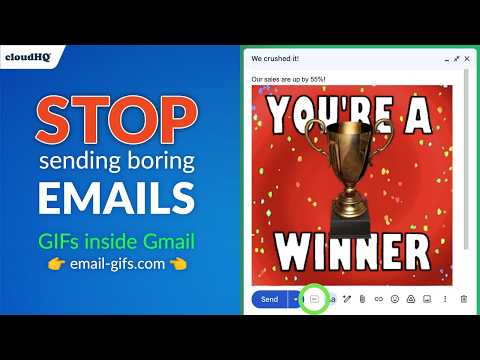
Email GIFs by cloudHQ adds an animated GIF and sticker keyboard to Gmail, making every email more visual and engaging. The Chrome extension installs a GIF button on the compose toolbar that opens KLIPY's library of thousands of trending, categorized, and searchable clips. Pick the perfect reaction in seconds and click once to drop the animation directly into your email body. Sales, recruiting, marketing, and customer success teams use animated GIFs to lift reply rates and humanize automated workflows. The extension works entirely inside Gmail, with no separate app to launch and no copy-paste required. Email GIFs by cloudHQ 让您可以直接在 Gmail 撰写窗口中搜索并插入 GIF 和贴纸。由 KLIPY 提供支持,您可以即时访问数千个热门、分类清晰且可搜索的 GIF 和贴纸: 全程无需离开您的收件箱。 使用方法 1. 安装扩展程序并打开 Gmail 2. 点击"撰写"开始一封新邮件 3. 点击撰写工具栏中的 GIF 按钮 4. 搜索或浏览热门 GIF 和贴纸 5. 点击任意 GIF 或贴纸即可将其直接插入到您的邮件中 功能特色 ★ 通过 KLIPY 搜索数千个 GIF 和贴纸 ★ 浏览热门和分类内容 ★ 一键直接插入到您的 Gmail 撰写窗口 ★ 记住您的上一次搜索,让您从上次离开的地方继续 ★ 同时支持动态 GIF 和贴纸 ★ 可按 Gmail 帐号启用或停用 ★ 在 Gmail 中无缝运行: 无需单独应用程序 为什么使用 EMAIL GIFS? 纯文本邮件可能显得平淡而缺乏个性。一个精心挑选的 GIF 可以传达单凭文字无法表达的语气、幽默和情感。带有视觉内容的邮件更容易引起注意,也更令人难忘。无论您是在庆祝团队的胜利、与潜在客户跟进,还是与朋友闲聊: 合适的 GIF 都能让您的信息脱颖而出。 cloudHQ. Helping your productivity one click at a time. 访问我们的网站: https://www.email-gifs.com/ 查看定价: https://www.email-gifs.com/pricing 需要帮助?支持页面: https://support.cloudhq.net/category/browser-extensions/email-gifs/ 发现见解。博客: https://blog.cloudhq.net/ Google Workspace、Google Sheets、Google Drive、Google Alerts 和 Gmail 是 Google LLC 的商标。这些商标的使用受 Google Permissions 管辖。 cloudHQ 是 CloudHQ LLC 的商标。https://www.cloudhq.net/trademark
5 星(5 星制)12 个评分
详情
隐私权

“Email GIFs by cloudHQ”已就收集和使用用户数据披露了以下信息。 如需了解详情,请查看开发者的privacy policy。
Email GIFs by cloudHQ会处理以下数据:
该开发者已声明,您的数据:
- 不会因未获批准的用途出售给第三方
- 不会为实现与产品核心功能无关的目的而使用或转移
- 不会为确定信用度或放贷目的而使用或转移
支持
若有任何疑问、建议或问题,请访问开发者的支持网站