Item logo image for ElementShot

ElementShot

Item media 2 (screenshot) for ElementShot
Item video thumbnail
Item media 2 (screenshot) for ElementShot
Item video thumbnail
Item media 2 (screenshot) for ElementShot

Overview

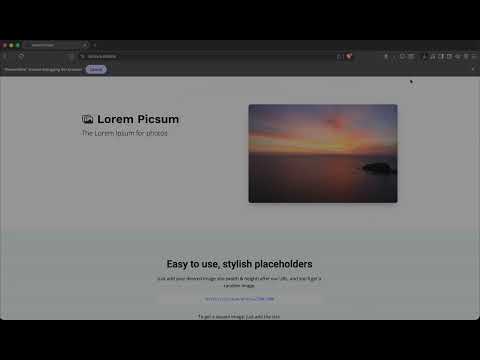
Capture a PNG screenshot of a selected page element using Chrome DevTools Protocol.

Capture a screenshot of a user-selected page element. How to use: Explain click icon → select element → save image

Details

  • Version
    1.0.0
  • Updated
    May 5, 2026
  • Offered by
    ivashchuk
  • Size
    33.99KiB
  • Languages
    English
  • Developer
    Email
    mykolaivashchuk@gmail.com
  • Non-trader
    This developer has not identified itself as a trader. For consumers in the European Union, please note that consumer rights do not apply to contracts between you and this developer.

Privacy

Manage extensions and learn how they're being used in your organization
The developer has disclosed that it will not collect or use your data. To learn more, see the developer’s privacy policy.

This developer declares that your data is

  • Not being sold to third parties, outside of the approved use cases
  • Not being used or transferred for purposes that are unrelated to the item's core functionality
  • Not being used or transferred to determine creditworthiness or for lending purposes

Related

Save Image As

0.0

Save, convert, copy, resize, and batch-download webpage images locally from Chrome.

EBA Screenshot Extension

0.0

Take screenshot of selected browser tab.

HTML to PNG Screenshot

2.0

Click the icon, hover any element, then click to save it as a PNG image.

TabCapture

0.0

Captures a screenshot of the entire web page using the Scroll & Stitch method.

Full Page Screenshot – Scroll Capture & Save Entire Webpage

1.0

Full webpage screenshot with one click scrolling capture.

EasyShot – Screenshot & Screen Capture

4.0

Capture full page, visible area or selection. The easiest screen capture tool. Save high-quality PNG/JPEG images instantly.

Framed

0.0

Capture a webpage element as a precise PNG.

Page capture screenshot tool-ThisShot

4.7

The page snipping tool for screenshot/capture webpage in full or part.

Full Page Capture

5.0

ページ全体・表示範囲・選択範囲をキャプチャして別タブに表示(PNG/JPEG保存対応)

ElementSnip

0.0

Capture specific DOM elements or selected screen areas. Save as PNG or copy to clipboard.

CDP Commander

0.0

Execute Chrome DevTools Protocol commands on selected frames

Figscreen — Screenshot & Web Annotation

5.0

Figscreen helps you capture webpages, annotate screenshots, and export clean PNGs from Chrome.

Save Image As

0.0

Save, convert, copy, resize, and batch-download webpage images locally from Chrome.

EBA Screenshot Extension

0.0

Take screenshot of selected browser tab.

HTML to PNG Screenshot

2.0

Click the icon, hover any element, then click to save it as a PNG image.

TabCapture

0.0

Captures a screenshot of the entire web page using the Scroll & Stitch method.

Full Page Screenshot – Scroll Capture & Save Entire Webpage

1.0

Full webpage screenshot with one click scrolling capture.

EasyShot – Screenshot & Screen Capture

4.0

Capture full page, visible area or selection. The easiest screen capture tool. Save high-quality PNG/JPEG images instantly.

Framed

0.0

Capture a webpage element as a precise PNG.

Page capture screenshot tool-ThisShot

4.7

The page snipping tool for screenshot/capture webpage in full or part.

Google apps