Item logo image for Element to Code

Element to Code

Item media 2 (screenshot) for Element to Code
Item media 1 (screenshot) for Element to Code
Item media 2 (screenshot) for Element to Code
Item media 1 (screenshot) for Element to Code
Item media 2 (screenshot) for Element to Code

Overview

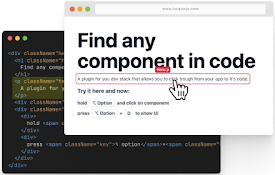
Click any element on a website and jump to the code where that component lives in VS Code.

Click any element on a website and jump to the code where that component lives. How it works: • Install the Chrome extension and the companion VS Code extension • Pair them once using a secure token • Open your local site • Click any element to jump directly to its source in VS Code Element to Code only opens files inside the project you currently have open in VS Code. It works with React, Next.js App Router and Pages Router.

Details

  • Version
    0.1.1
  • Updated
    July 23, 2026
  • Offered by
    patricia.tani
  • Size
    146KiB
  • Languages
    English
  • Developer
    Patricia Ming Kaho Tani
    1040 Folsom Street San Francisco, CA 94103 US
    Email
    xpatticattix@gmail.com
    Phone
    +1 236-979-9333
  • Trader
    This developer has identified itself as a trader per the definition from the European Union and committed to only offer products or services that comply with EU laws.

Privacy

Manage extensions and learn how they're being used in your organization
The developer has disclosed that it will not collect or use your data.

This developer declares that your data is

  • Not being sold to third parties, outside of the approved use cases
  • Not being used or transferred for purposes that are unrelated to the item's core functionality
  • Not being used or transferred to determine creditworthiness or for lending purposes

Related

HTML Auto-Clicker PRO

4.0

Clicks all HTML elements/tags specified on the web page you are on.

React Component Finder

0.0

Click on React components in localhost and open them in VS Code

Claude Code Inspect

0.0

Click any element on any page and prompt Claude Code about it — instantly, with full context.

LocatorJS

4.3

LocatorJS Chrome Extension - option-click to code (ReactJS)

SourceSnap

0.0

Alt+Click any element to open its source code in your editor. Supports React, Vue, Svelte, SolidJS, Preact.

Click To Component

0.0

Click a component in your browser to instantly open the source in VS Code, WebStorm, Cursor, TRAE, etc.

click-to-react-component

3.4

Option+Click React components in your browser to instantly open the source in VS Code

React-DomPicker

4.3

Click any UI element to instantly jump to its React source code in VS Code. Perfect for React + Tailwind + ShadCN projects.

Next Locator – Click to Open Next.js & React Code in VS Code & Cursor

5.0

Alt+Click any element in your Next.js or React app to open its source file at the exact line in VS Code, Cursor or Antigravity IDE.

Figment

5.0

Quickly find the code for rendered React components!

Chrome to Code

5.0

Chrome 2 Code lets you select DOM elements and find their definitions in the source code of your web application in VS Code.

VibeFlow Clipper

0.0

Import any web element into your VibeFlow Design System with one click.

HTML Auto-Clicker PRO

4.0

Clicks all HTML elements/tags specified on the web page you are on.

React Component Finder

0.0

Click on React components in localhost and open them in VS Code

Claude Code Inspect

0.0

Click any element on any page and prompt Claude Code about it — instantly, with full context.

LocatorJS

4.3

LocatorJS Chrome Extension - option-click to code (ReactJS)

SourceSnap

0.0

Alt+Click any element to open its source code in your editor. Supports React, Vue, Svelte, SolidJS, Preact.

Click To Component

0.0

Click a component in your browser to instantly open the source in VS Code, WebStorm, Cursor, TRAE, etc.

click-to-react-component

3.4

Option+Click React components in your browser to instantly open the source in VS Code

React-DomPicker

4.3

Click any UI element to instantly jump to its React source code in VS Code. Perfect for React + Tailwind + ShadCN projects.

Search
Clear search
Close search
Google apps
Main menu