


Overview
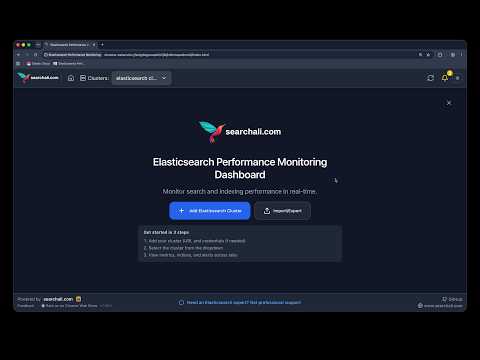
Monitor Elasticsearch & OpenSearch in your browser — Query, Traffic, alerts, cluster health. No server, no agent, no signup.
Catch slow searches, query your index data, watch live HTTP traffic, and get alerted the moment your Elasticsearch or OpenSearch cluster needs attention. Connect with your cluster URL; data stays between your browser and your cluster. Best for: Elasticsearch monitoring, OpenSearch monitoring, Elastic Cloud, cluster health checks, slow query diagnosis, and HTTP traffic inspection - all inside Chrome. What you get: Live indexing rate, search rate, indexing latency, and search latency Live Traffic map and active HTTP clients — who hits which nodes and what they request Active search request capture with automatic categorization Real-time alerts based on Elasticsearch and OpenSearch best practices — CPU, heap, disk, cluster status, slow search Query your indices with Kibana-style field filters and a time histogram Cluster health, shard allocation, and node stats (CPU, JVM heap, disk) Index detail: mappings, settings, ILM, sample data, slow search diagnosis Node investigation: thread pools and hot threads Index templates, component templates, snapshot repositories and restore status Multi-cluster support: Elasticsearch, OpenSearch, and Elastic Cloud Import/export cluster configuration backup Dark mode and a guided getting-started tour Direct API connection — privacy-first, offline-friendly license keys for Premium depth features Add your Elasticsearch or OpenSearch cluster URL and start monitoring performance in seconds. Built by Searchali — https://www.searchali.com
5 out of 520 ratings
Details
- Version2.10.0
- UpdatedOctober 22, 2026
- Size1.21MiB
- LanguagesEnglish
- Developer
- Non-traderThis developer has not identified itself as a trader. For consumers in the European Union, please note that consumer rights do not apply to contracts between you and this developer.
Privacy

This developer declares that your data is
- Not being sold to third parties, outside of the approved use cases
- Not being used or transferred for purposes that are unrelated to the item's core functionality
- Not being used or transferred to determine creditworthiness or for lending purposes
Support
For help with questions, suggestions, or problems, please open this page on your desktop browser