


Overview
Helps you add new image collections to Spice from supported image providers.
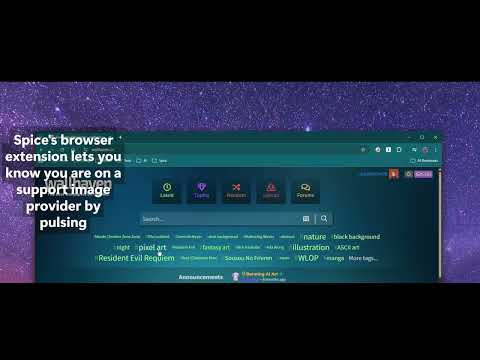
Send stunning photography and digital art directly to your Spice desktop gallery with a single click. The Spice Wallpaper Manager Extension is the essential companion for the Spice desktop app. It eliminates the tedious need to copy and paste URLs, instantly bridging your browser and your desktop rotation. WHY INSTALL? If you use Spice to curate your desktop, this extension streamlines your workflow. It automatically detects supported image providers and notifies you when you are on a compatible site. Adding a new piece to your rotation is as easy as clicking the pulsing Spice icon. (Tip: Remember to pin the extension to your browser bar for quick access!) 🌟 KEY FEATURES 🟢 One-Click Adding: The Spice icon lights up green when you view an image on a supported site. Just click it to send the artwork instantly to your Mac or PC. ⚡ LiveSync Technology: Powered by a secure, 100% local WebSocket connection, actions are instantaneous. No lag, no waiting, and zero cloud tracking. 🖼️ Broad Support: Works out of the box with premier high-res photography and art sources: Wallhaven, Pexels, and Wikimedia Commons. 💤 Always Ready: Features an intelligent "Keep-Alive" system to ensure the extension is responsive whenever you need it, even if your browser snoozes background tabs. 📋 REQUIREMENTS 💻 Spice Desktop Application: Requires Spice (v2.x.x+) to be installed and running on your Windows or macOS computer. 🔌 Local Connection: Spice must be active in your system tray or menu bar to receive image requests. Your workspace, elevated.
0 out of 5No ratings
Details
- Version2.5.4
- UpdatedMay 28, 2026
- Size74.76KiB
- Languages8 languages
- DeveloperWebsite
Email
dixieflatline76@gmail.com - Non-traderThis developer has not identified itself as a trader. For consumers in the European Union, please note that consumer rights do not apply to contracts between you and this developer.
Privacy

This developer declares that your data is
- Not being sold to third parties, outside of the approved use cases
- Not being used or transferred for purposes that are unrelated to the item's core functionality
- Not being used or transferred to determine creditworthiness or for lending purposes
Support
For help with questions, suggestions, or problems, visit the developer's support site