


Overview
Add powerful tools to ChatGPT: bulk delete & archive, branches, split view, and chat lock — all integrated into the native interface
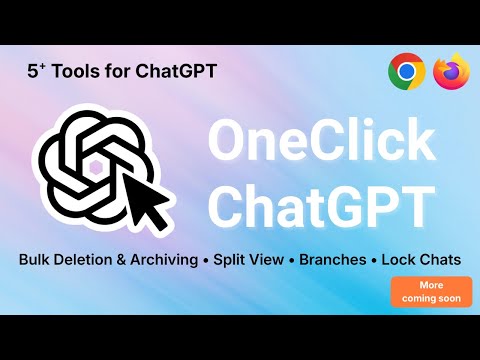
OneClick ChatGPT – The ultimate toolkit to boost ChatGPT 🚀 OneClick ChatGPT is the essential extension for all power users of ChatGPT. It adds powerful and perfectly integrated features designed to improve your productivity, organize your conversations, and unlock new uses! Today, OneClick ChatGPT brings 5 exclusive superpowers that ChatGPT doesn't have: 🔥 Main Features 1️⃣ Multi-selection & Bulk Delete Delete multiple conversations in a single click. No need to delete your chats one by one anymore: save precious time every day. 2️⃣ Bulk Archiving Same principle, but for archiving. Neatly organize your history and find your important discussions more easily. 3️⃣ ChatGPT Dual Window (Split Screen) Display two chats side by side in a single window. Ideal for comparing answers, working on two versions of a text, coding on one side and documenting on the other. A highly requested feature that OneClick finally brings. 4️⃣ Branch Creation (Multi-scenario) Transform any response into a new discussion branch in a second window. Compare ideas, explore multiple outcomes, and test different approaches in parallel. 5️⃣ Chat Locking with Password Protect your sensitive discussions with a secure locking system. Ideal for professional conversations, sensitive data, confidential projects, or personal notes. Only you can open locked chats. ⚙️ A Complete Configuration Popup (NEW) Activate only the features you need: • Bulk Deletion and Archiving • Split Screen • Branch Creation • Chat Locking • … and more to come A clear, customizable, fast, and intuitive interface. ✨ User Experience Designed for ChatGPT • Design 100% consistent with the native interface • Convenient toolbar icon • Fast and fluid actions • Features activated directly within your interface 🔐 Privacy & Permissions OneClick ChatGPT fully respects your privacy: • No data collection • No tracking, no monitoring • No external servers • Local operation, only in your browser • Minimal permissions, limited to the chat.openai.com domain 🟢 Why Adopt It? • Huge time saver • Increased productivity • Clean and organized history • Clearer, cleaner, faster work • Improved and more efficient interface • Enhanced security with chat locking • Ideal for ChatGPT power users Perfect for: students, developers, creators, writers, researchers, freelancers, teams… In short: everyone who uses ChatGPT daily. 🚧 A Living Project New features will arrive regularly: productivity tools, automations, advanced views, customization, smart chat management… OneClick evolves continuously based on community needs. 🖱️ How it works? 1. Install the extension 2. Click on the OneClick ChatGPT icon in the toolbar 3. Activate the desired features from the popup 4. Enjoy an improved ChatGPT experience immediately
5 out of 59 ratings
Details
- Version1.0.3
- UpdatedJanuary 9, 2026
- Offered byMaxime Guerin
- Size204KiB
- Languages53 languages
- Developer
Email
maxiguerin348@gmail.com - Non-traderThis developer has not identified itself as a trader. For consumers in the European Union, please note that consumer rights do not apply to contracts between you and this developer.
Privacy

This developer declares that your data is
- Not being sold to third parties, outside of the approved use cases
- Not being used or transferred for purposes that are unrelated to the item's core functionality
- Not being used or transferred to determine creditworthiness or for lending purposes
Support
For help with questions, suggestions, or problems, please open this page on your desktop browser