

Theatre Vision

Overview
Expand videos into a theatre view while keeping the site's native player and captions.
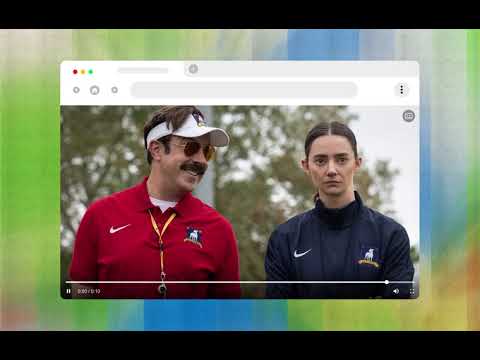
Theatre Vision makes web videos fill your browser window (windowed theatre mode) without going fullscreen, while preserving the site's native player controls, subtitles, and captions. Many websites lack a native theatre mode, forcing users to squint at small players or go completely fullscreen, losing access to other tabs, multitasking, or notes. Theatre Vision solves this by adding a seamless theatre mode button directly onto HTML5 video players. FEATURES: • True Windowed Theatre Mode: Expands video players and embedded iframes to fill the entire browser viewport without entering system fullscreen. • Native Controls & Captions: Preserves the website's original player controls, quality toggles, volume controls, and subtitle rendering. • Easy Controls: Click the Theatre Vision overlay icon or press the Escape key (Esc) anytime to exit. • Per-Site Whitelist & Blacklist: Easily enable or disable theatre mode for specific websites or subdomains right from the toolbar popup or the options page. • 100% Privacy Focused: Runs completely offline in your browser. No telemetry, no background data collection, and no remote code. • Multi-Language Support: Available in 13 languages including English, Spanish, French, German, Hindi, Japanese, Korean, Portuguese, and Simplified Chinese. HOW TO USE: 1. Hover over any video player on a supported webpage. 2. Click the Theatre Vision button in the player's top-right corner to expand the video. 3. Press Escape (Esc) or click the exit button to return to the normal view. 4. Click the extension icon in your toolbar to toggle rules for the current website. Open-source and MIT licensed on GitHub: https://github.com/ItisShikhar/theatre-vision
0 out of 5No ratings
Details
- Version1.3.0
- UpdatedNovember 2, 2026
- Offered byShikhar's Experiments
- Size594KiB
- Languages14 languages
- DeveloperShikhar Srivastava
1081, Suman Vihar, South Civil Lines Muzaffarnagar, Uttar Pradesh 251002 INEmail
shikhar.cs.eng@gmail.comPhone
+91 72529 15788 - TraderThis developer has identified itself as a trader per the definition from the European Union and committed to only offer products or services that comply with EU laws.
Privacy

This developer declares that your data is
- Not being sold to third parties, outside of the approved use cases
- Not being used or transferred for purposes that are unrelated to the item's core functionality
- Not being used or transferred to determine creditworthiness or for lending purposes
Support
For help with questions, suggestions, or problems, visit the developer's support site