


Overview
Find broken links. Fix what matters.
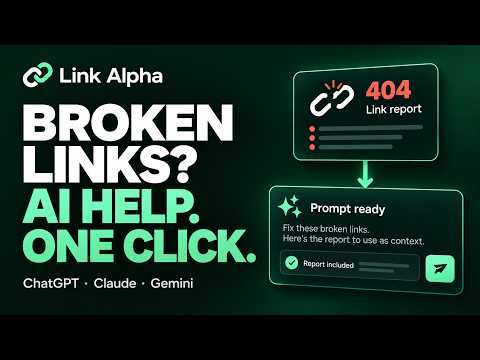
Link Alpha — Broken Link Checker for Chrome Find broken links. Fix what matters. Keep your website’s links useful, your references relevant, and your next review easier to manage. Link Alpha checks links on the webpage you’re viewing, helps you investigate problematic destinations, and shows you where those links appear in your content. Start a scan, review the findings, and move toward a repair plan without manually opening every URL. Built for SEO professionals, content editors, website owners, and developers, Link Alpha combines automatic scanning, on-page highlighting, saved history, downloadable reports, and AI-assisted guidance in a practical browser workflow. WHY USE LINK ALPHA? A useful page depends on more than its own content. Readers also rely on the destinations it recommends: supporting research, product information, related articles, documentation, and other resources. Those destinations can change after publication. A referenced article may move, an old product page may disappear, or a link may lead somewhere different from what its surrounding text suggests. Link Alpha helps you bring those links back into your review process. Discover what needs attention, inspect it in context, and keep a clear record of your findings. START WITH ONE CLICK Open the page you want to review and click the extension icon. Link Alpha starts scanning automatically. There’s no separate Start Scan step. Move directly from the page you’re working on to its link results, then investigate the destinations that matter to your task. Use it when reviewing an article, checking a landing page, maintaining a resource directory, or preparing a content update. CHECK INTERNAL AND EXTERNAL DESTINATIONS Review links connecting pages within your website alongside those pointing readers to external sources. Internal links help visitors move between related content, products, and services. External references connect them with evidence, further reading, and useful tools. Bringing both into the same review makes it easier to understand the links supporting a page. Inspect the reported results and redirects, then decide which destinations deserve a closer look. LOCATE LINKS DIRECTLY ON THE PAGE A destination URL doesn’t always tell you where an issue appears in your content. Use the locate-and-highlight feature to find a scanned link on the original webpage. See the surrounding sentence, section, or page element before deciding what to change. This is particularly useful when: • An article contains many references. • Similar anchor text appears in several places. • You need to explain an issue to an editor. • A destination seems unrelated to the text linking to it. • You’re checking whether a reference should be replaced or removed. Connect the report to the actual reading experience, so your next step is based on context. TURN FINDINGS INTO A REPAIR PLAN WITH AI Once you’ve reviewed the results, open ChatGPT, Claude, or Gemini from Link Alpha with a prepared prompt and your scan report loaded into your chosen assistant. Skip assembling the findings by hand and writing an explanation from scratch. Begin with the information collected during your scan and ask for help turning it into a useful plan. Use the AI handoff to: • Explain reported issues in plain language. • Organize findings into a review checklist. • Suggest an order for investigating affected links. • Outline steps for checking a questionable destination. • Prepare a handoff for a developer or content editor. • Draft a client-friendly explanation of the work needed. You choose the assistant and remain in control of the changes. The guidance supports your review; it does not automatically edit your website. KEEP FINDINGS AVAILABLE WITH SCAN HISTORY An audit doesn’t always finish in one sitting. Link Alpha saves scan history locally so you can return to previous findings when you’re ready to continue. Revisit a report while editing content, preparing a task list, or discussing an issue with a teammate. Saved results provide a reference for what was reported during that scan. Run a fresh check when you want to review the page again after making changes. EXPORT REPORTS THAT FIT YOUR WORKFLOW Download results in CSV or JSON format. CSV for spreadsheet review Open your findings in a spreadsheet to organize URLs, add notes, assign follow-up work, or prepare a deliverable. JSON for structured analysis Keep results in a structured format for technical investigation and further processing. Use exports to move from a browser review to the tools your team already uses. Document the findings, provide relevant URLs, and keep a copy with your project records. PRACTICAL WAYS TO USE LINK ALPHA Review content before sharing it Check the links on an accessible preview or published page before sending it to readers, customers, or colleagues. Investigate destinations that need attention while the content is still fresh in your mind. Refresh older articles Revisit tutorials, guides, and evergreen posts. Find references worth checking, locate them in the text, and decide whether the original source still supports the point you’re making. Maintain resource pages Review pages that recommend tools, suppliers, learning materials, or industry resources. Use the findings as a starting point for checking whether those recommendations remain useful. Check important visitor journeys Inspect links leading from a landing page to pricing, documentation, contact information, or related resources. Follow up on the destinations that matter most to someone trying to take the next step. Support a website update After changing URLs or reorganizing content, review links on affected pages. Investigate redirects and flagged destinations, then check again after applying corrections. Prepare a focused client deliverable Scan the page under review, inspect relevant findings, and export the results. Add your own context and recommendations to produce a handoff that explains what needs investigation and where. BUILT FOR THE PEOPLE WHO MAINTAIN WEB CONTENT SEO professionals Add link review to your on-page checks and content maintenance process. Connect reported issues with their location on the page and document the follow-up work. Writers and editors Check citations and supporting resources as part of an editorial review. Inspect the surrounding text before deciding whether to update a reference. Website owners Make routine maintenance more manageable by checking important pages and keeping track of findings that need attention. Developers and QA testers Locate affected links, inspect their destinations, and export structured results for troubleshooting. Freelancers and agencies Use a consistent process across client reviews: scan, investigate, document, and hand off clear next steps. A SIMPLE WORKFLOW FROM CHECK TO FOLLOW-UP 1. Open your page Navigate to the webpage you want to review. 2. Launch Link Alpha Click the extension icon. Scanning begins automatically. 3. Review the findings Inspect destination results and identify the links relevant to your task. 4. Find the link in context Use on-page highlighting to see where it appears and how it’s described. 5. Plan the next step Investigate the destination yourself or open your preferred AI assistant with the prepared prompt and report. 6. Document your review Export the results or return to the saved scan later. 7. Check your changes After updating the page, run another scan to review the latest results. FREQUENTLY ASKED QUESTIONS What does Link Alpha help me do? It helps you check links found on a webpage, investigate reported issues, locate individual links in their original context, and organize findings for follow-up. Does scanning start automatically? Yes. Open the webpage and click the Link Alpha icon to begin. You don’t need to press a separate Start Scan button. Can I check links to other websites? Yes. The review includes external destinations discovered on the page, as well as internal links pointing within the same website. Why is locating a link on the page useful? The destination is only part of the decision. Seeing the anchor text and surrounding content helps you understand what readers expect and whether the reference needs updating. What should I do with a redirect? Review where it leads and whether that destination still matches the purpose of the original link. A redirect alone is not a reason to remove a useful reference. Does Link Alpha change my website? No. It provides findings and tools to support your review. You make changes through your website editor, content management system, or development workflow. How does the AI feature help? It opens your chosen assistant with a prepared prompt and scan report, giving you a starting point for explanations, investigation steps, and repair planning. Which AI assistants can I choose? The handoff offers ChatGPT, Claude, and Gemini. Can I return to an earlier scan? Yes. Locally saved scan history lets you revisit previous findings and continue your work. Which export format should I use? Choose CSV for spreadsheets and manual review. Choose JSON when you want structured data for technical analysis or further processing. Can I use the report for client work? Yes. Export the findings and add your own notes, context, and recommendations before sharing the deliverable. When should I run a new scan? Run a fresh check after updating links or whenever you need a current view of the page. Previous reports remain useful as records of earlier scans. MAKE YOUR NEXT CONTENT REVIEW MORE USEFUL From the first scan to the final handoff, Link Alpha keeps the work connected: discover a link issue, see it on the page, investigate the destination, and decide what to do next. Spend less time opening URLs individually and more time maintaining the content your visitors rely on. Add Link Alpha to Chrome and start with the next page you’re working on. Find broken links. Fix what matters.
5 out of 52 ratings
Details
- Version1.0.18
- UpdatedOctober 25, 2026
- Size195KiB
- LanguagesEnglish (United States)
- DeveloperMuhammad Ahmad FaruqiWebsite
Flat no. A104, Shaheed-e-Millat Road Ammar Towers Karachi 75400 PKEmail
ahmad.faruqi1211@gmail.com - Non-traderThis developer has not identified itself as a trader. For consumers in the European Union, please note that consumer rights do not apply to contracts between you and this developer.
Privacy

Link Alpha: Find Broken Links has disclosed the following information regarding the collection and usage of your data. More detailed information can be found in the developer's privacy policy.
Link Alpha: Find Broken Links handles the following:
This developer declares that your data is
- Not being sold to third parties, outside of the approved use cases
- Not being used or transferred for purposes that are unrelated to the item's core functionality
- Not being used or transferred to determine creditworthiness or for lending purposes