


Overview
Get alerts when selected Facebook group posts match your keywords
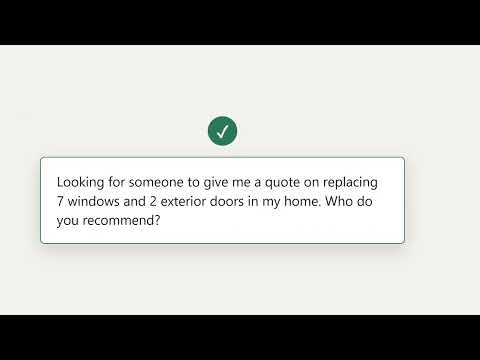
Keyword alerts are noisy. This one filters them. Search a local group for "roofing" and you get homeowners asking for a roofer — plus every roofing company advertising, every "2 day window" lawn crew, and every drywall ad that happens to say "quote". A keyword alerter forwards all of it. Group Post Alerts scores each keyword match on your own machine and only tells you about the ones that read like somebody actually asking. The model runs locally. Post text is never sent anywhere for analysis. WHAT GETS THROUGH Alerts you: "Looking for someone to give me a quote on replacing 7 windows and 2 exterior doors in my home. Who do you recommend?" Stays quiet: "Drywall texture looking rough? I offer affordable patch, texture, and paint touchups. No job too small. DM photos for a quote." Both contain "quote". Only one is a customer. HOW IT WORKS 1. Pick which of the groups you already belong to should be watched. 2. Add the keywords that matter to you. 3. Choose where alerts go — desktop notifications or a Discord webhook. 4. Leave it running. You hear about matching posts without scrolling. WHAT IT DOES • Monitors only the groups you explicitly select • Matches posts by your own keyword list • Scores every match on-device to cut ads, promos, and announcements • Desktop notifications and Discord webhook delivery • A dashboard listing every matched post with a link back to the original • Adjustable check frequency and how far back to look on first run ABOUT YOUR DATA This extension works through the Facebook session already open in your browser. It does not ask for your Facebook password and cannot log in on your behalf. Matched posts and your settings are stored locally in your browser. Relevance scoring runs on your own machine — post text is not sent anywhere for analysis. If you configure a Discord webhook, matched posts are sent to that address, because that is what the feature does. NOT AFFILIATED WITH FACEBOOK This is an independent tool and is not affiliated with, endorsed by, or sponsored by Facebook or Meta. "Facebook" is a trademark of Meta Platforms, Inc., used here only to describe what this extension works with.
0 out of 5No ratings
Details
- Version1.0.1
- UpdatedSeptember 2, 2026
- FeaturesOffers in-app purchases
- Size86.95MiB
- LanguagesEnglish
- Developer장지환Website
지봉로24길 70-6 402호 성북구, 서울특별시 02872 KREmail
support@grouppostalerts.comPhone
+82 10-9838-5182 - TraderThis developer has identified itself as a trader per the definition from the European Union and committed to only offer products or services that comply with EU laws.
Privacy

Group Post Alerts for Facebook Groups has disclosed the following information regarding the collection and usage of your data. More detailed information can be found in the developer's privacy policy.
Group Post Alerts for Facebook Groups handles the following:
This developer declares that your data is
- Not being sold to third parties, outside of the approved use cases
- Not being used or transferred for purposes that are unrelated to the item's core functionality
- Not being used or transferred to determine creditworthiness or for lending purposes
Support
For help with questions, suggestions, or problems, please open this page on your desktop browser