

AI Buddy
2 ratings
)
Overview
Scenario-based AI sidebar actions for selected browser text.
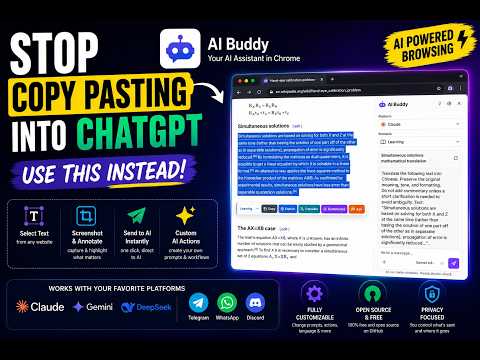
⚡ Highlight any text on a page → send it straight to ChatGPT, Claude, Gemini, DeepSeek, or Copilot. No copy-paste. No tab switching. AI Buddy is an open-source Chrome side panel that lets you select text on any webpage and send it to your favorite AI with one click. You can also capture and annotate screenshots for visual review, UI feedback, and debugging. Key use cases: • Highlight a paragraph in a research article → send to Claude for explanation • Select error text in a tech doc → send to ChatGPT for debugging • Capture and annotate a UI screenshot → send to your model for design feedback • Translate foreign-language content without leaving the page Why it works: ✓ Open source on GitHub ✓ No backend, no tracking, and no prompt storage ✓ Works with your existing AI accounts ✓ Supports ChatGPT and other mainstream AL platforms ✓ 10 ready-made scenario templates for learning, writing, coding, research, support, and more ✓ Free, no signup, no separate AI Buddy login 👉 Install once. Highlight anything. Send to AI.
5 out of 52 ratings
Details
- Version1.2.3
- UpdatedJuly 30, 2026
- Size859KiB
- LanguagesEnglish
- Developer
Email
cws.aibuddy@gmail.com - Non-traderThis developer has not identified itself as a trader. For consumers in the European Union, please note that consumer rights do not apply to contracts between you and this developer.
Privacy

AI Buddy has disclosed the following information regarding the collection and usage of your data. More detailed information can be found in the developer's privacy policy.
AI Buddy handles the following:
This developer declares that your data is
- Not being sold to third parties, outside of the approved use cases
- Not being used or transferred for purposes that are unrelated to the item's core functionality
- Not being used or transferred to determine creditworthiness or for lending purposes
Support
For help with questions, suggestions, or problems, visit the developer's support site