

Polished: Screen Recorder with Auto-Zoom

Overview
Record a tab, window or full screen with auto-zoom, smooth cursor and voice-over. Plus annotated screenshots.
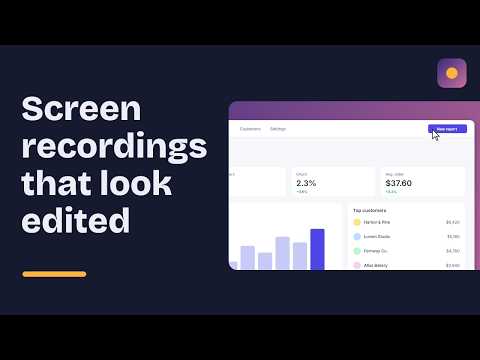
Polished turns ordinary screen recordings into videos that look professionally edited, with no editing skills needed. Press record, use your screen as normal, and Polished automatically zooms in wherever you click, smooths your cursor, and places your video on a beautiful background with rounded corners and a soft shadow. WHAT YOU CAN DO - Record the current tab, a window, any app, or your whole screen - Auto-zoom on every click, so viewers always see what matters - Smooth, enlarged cursor with click highlights - Add your voice with the microphone - Add or remove zoom points by hand in the editor - Choose backgrounds, padding and corner style - Export as MP4 - Take screenshots and mark them up with arrows, boxes, highlights, text and blur to hide private details - Copy screenshots straight to your clipboard or download them as PNG - Find all your videos and screenshots in the built-in library PRIVATE BY DEFAULT Your recordings and screenshots are saved only on your own computer. Nothing is uploaded, and no account is needed. GREAT FOR Product demos, bug reports, tutorials, feedback for your team, onboarding guides and social media clips. FREE PLAN Everything above is free, with recordings up to 10 minutes, 1080p export, and a small watermark. PRO No watermark, unlimited recording length, 4K export and every background.
0 out of 5No ratings
Details
- Version1.1.0
- UpdatedOctober 25, 2026
- Offered byFOXFROST
- Size54.21KiB
- LanguagesEnglish
- DeveloperSIA FOXFROST
E. Darzina Riga LV-1014 LVEmail
foxfrosted@outlook.comPhone
+371 20 211 322 - TraderThis developer has identified itself as a trader per the definition from the European Union and committed to only offer products or services that comply with EU laws.
- D-U-N-S965813667
Privacy

This developer declares that your data is
- Not being sold to third parties, outside of the approved use cases
- Not being used or transferred for purposes that are unrelated to the item's core functionality
- Not being used or transferred to determine creditworthiness or for lending purposes