

TubeTidy for YouTube™ - Watch Later & Playlist Cleaner

Overview
Clean watched videos from Watch Later in 1-click, sort by topic, and remove duplicate playlist entries instantly.
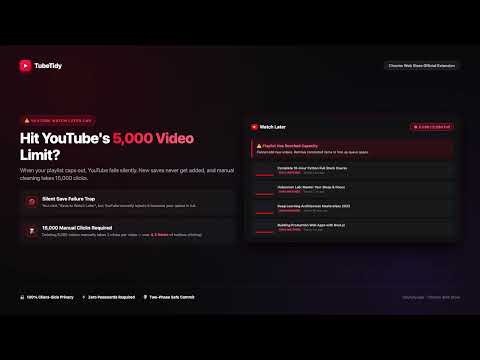
⚡ Hit YouTube's 5,000 video limit? TubeTidy is a 1-click Watch Later cleaner and smart playlist organizer. Batch-purge completed videos, eliminate duplicate links, and organize your queue into neat playlists. 100% private, client-side, and password-free. Stuck with a clogged Watch Later playlist that reached YouTube's 5,000 video ceiling? When a playlist fills up, new saves fail silently, and manual cleaning requires thousands of repetitive clicks. TubeTidy automates queue cleanup directly inside your browser. 🚀 QUICK START GUIDE (3 EASY STEPS) 1. Open YouTube Watch Later Go to youtube.com/playlist?list=WL (or click the TubeTidy toolbar icon). 2. 1-Click Clean Watched Videos Click the "1-Click Clean Watched" button on your Watch Later page. TubeTidy scans your list and automatically removes completed videos that have a red progress bar or are unavailable. 3. Enjoy Inbox Zero Relax with a clean queue, or use Pro to auto-sort remaining unwatched videos into organized topic playlists and remove duplicate links across your channel. 🧹 1-CLICK WATCHED CLEANER (100% FREE FOREVER) • Automatically detects red watch progress bars (>=85% watched) and removes completed videos. • Purges unavailable, deleted, or private videos that clutter your queue. • High-speed batch engine processes up to 500 videos per minute—saving hours of manual clicking. • Real-time progress meter displays remaining backlog count during cleanup. • 100% client-side: executes directly in your browser with zero external servers. 📁 SMART PLAYLIST ORGANIZER & ON-DEVICE AI (PRO) • Automatically categorizes unwatched videos into distinct topic playlists based on subject matter. • Built-in Gemini Nano AI support: Optionally classifies ambiguous video titles directly on your computer with zero cloud server calls. • Two-Phase Safe Commit: Verifies each video is safely saved in its target playlist before removing it from Watch Later. Zero data loss. 🔍 CROSS-PLAYLIST DEDUPLICATOR (PRO) • Scans across your custom playlists and Watch Later queue to detect duplicate video links. • Cleans redundant copies with one click while preserving your original canonical instances. 🔒 100% PRIVATE & SECURE BY DESIGN • 100% Client-Side: Runs entirely inside your browser tab. • Zero Data Collection: We do not collect, store, or transmit your watch history, playlists, or personal info. • No Passwords Needed: Interacts with YouTube using your existing browser session. No Google API keys or account credentials required. • Local Execution: All processing happens on your device—nothing is sent to external servers. ⚖️ FREE TIER VS. PRO TIER 🟢 FREE TIER: • 1-Click Clean Watched videos from Watch Later. • Preview duplicate videos and queue statistics. • No ads, no telemetry, free forever. ⚡ PRO TIER ($3.99 Lifetime Access — No Recurring Subscriptions): • Smart Topic Categorization into curated topic playlists. • Cross-Playlist Deduplication (one-click purge across all playlists). • Two-Phase Safe Commit rollback protection. • Priority email support & lifetime updates. ❓ FREQUENTLY ASKED QUESTIONS Q: How does the 1-click cleaner work? A: TubeTidy inspects your Watch Later playlist in real time, identifies videos that you have completed (red progress bar) or that are private/deleted, and sends batch removal requests through your active browser session. Q: Will this accidentally delete unwatched videos? A: No. TubeTidy strictly checks watch progress. Only videos with >=85% watched progress or unavailable/deleted videos are removed. All your unwatched videos remain completely untouched. Q: How fast is it compared to doing it manually? A: Deleting 5,000 videos manually requires 3 clicks per video (15,000 clicks) and takes over 4 hours. TubeTidy batches operations up to 50 items per call and clears thousands of videos in minutes. Q: What happens if my Watch Later is at 5,000 videos? A: YouTube completely blocks new additions when a playlist reaches 5,000. Running TubeTidy immediately frees up room so you can save videos again. 💬 SUPPORT & FEEDBACK Need help or have questions? • Website: https://www.tubetidy.app • Support: support@tubetidy.app • Privacy Policy: https://www.tubetidy.app/privacy.html YouTube™ is a trademark of Google LLC. This extension is an independent tool and is not affiliated with or endorsed by YouTube™ or Google LLC.
0 out of 5No ratings
Details
- Version1.0.2
- UpdatedOctober 9, 2026
- FeaturesOffers in-app purchases
- Size78.04KiB
- LanguagesEnglish
- DeveloperWebsite
Email
support@tubetidy.app - Non-traderThis developer has not identified itself as a trader. For consumers in the European Union, please note that consumer rights do not apply to contracts between you and this developer.
Privacy

This developer declares that your data is
- Not being sold to third parties, outside of the approved use cases
- Not being used or transferred for purposes that are unrelated to the item's core functionality
- Not being used or transferred to determine creditworthiness or for lending purposes
Support
For help with questions, suggestions, or problems, visit the developer's support site