

Context Porter

Overview
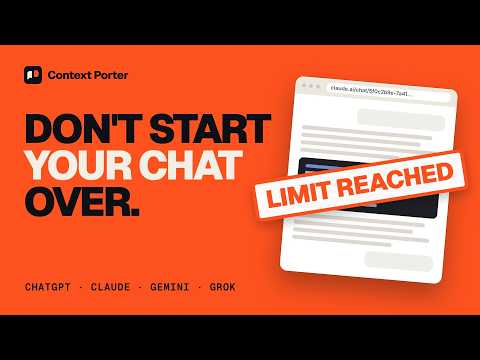
Export and import LLM conversations across ChatGPT, Claude, Gemini, and Grok
Switching AI models shouldn't mean starting over. Context Porter exports a conversation from ChatGPT, Claude, Gemini or Grok into a portable file, optionally compresses it, and turns it into clean Markdown you can paste into any other AI to pick up exactly where you left off. WHAT IT DOES • Export the current chat: one click saves the conversation you're viewing as a .llmchat file. • Export your whole history: bulk-export every ChatGPT, Claude or Gemini conversation into a single ZIP. • Smart compression: a slider from Raw to Aggressive trims pleasantries and outdated code versions so long chats fit into a fresh context window. Runs on your device; no AI service involved. • Continue anywhere: convert any .llmchat file to Markdown, or copy/paste it between tabs. • Open format: .llmchat is plain JSON (messages, roles, timestamps, model info) that you can read, edit, script, and keep. SUPPORTED • ChatG Everything runs inside your browser. Context Porter has no servers, no accounts, no analytics. It talks only to the AI site you're already signed in to, using your existing session. Source code: github.com/adit-0132/context-porter GOOD TO KNOW • Unofficial: not affiliated with OpenAI, Anthropic, Google or xAI. If a site changes, export may break until an update ships. • Image and file contents are referenced, not embedded. Interactive canvases and artifacts aren't preserved. • Only the active branch of an edited conversation is exported. Test instructions: 1. Sign in to chatgpt.com or claude.ai (a free account works), open any conversation, click the Context Porter icon, choose "Raw Export", then click "Export Chat". A .llmchat file downloads. 2. Import: in the popup, click "Convert to Markdown" and select the .llmchat file from step 1. A Markdown file downloads. 3. Smart compression: drag the "Compression Quality" slider to 40% (it switches to Smart Compress) and click "Export Chat". A stats panel shows the original vs compressed token counts. 4. Copy / Paste: the copy button next to "Export All Chats" copies the conversation to the clipboard; the paste button in the Import section converts a copied export to Markdown. Everything runs locally; there is no backend or account.
0 out of 5No ratings
Details
- Version1.0.0
- UpdatedNovember 3, 2026
- Offered byadi018
- Size82.09KiB
- LanguagesEnglish
- DeveloperAditya Bansal
A-167 G/F, Near Central Hospital Ganesh Nagar, Tilak Nagar New Delhi, Delhi 110018 INEmail
aditya2017rks@gmail.comPhone
+91 87001 90412 - TraderThis developer has identified itself as a trader per the definition from the European Union and committed to only offer products or services that comply with EU laws.
Privacy

Context Porter has disclosed the following information regarding the collection and usage of your data. More detailed information can be found in the developer's privacy policy.
Context Porter handles the following:
This developer declares that your data is
- Not being sold to third parties, outside of the approved use cases
- Not being used or transferred for purposes that are unrelated to the item's core functionality
- Not being used or transferred to determine creditworthiness or for lending purposes