


Overview
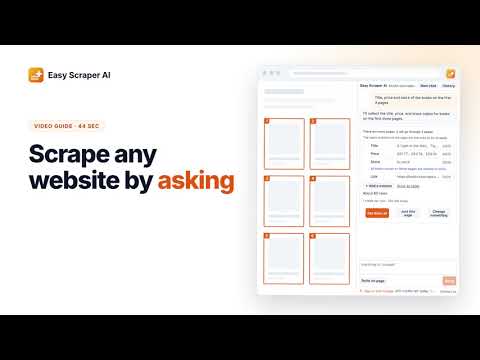
Tell it what data you need and AI sets up the scrape: sample rows first, then every page, exported to CSV for Excel or Sheets.
Easy Scraper AI is an AI web scraper for Chrome that you talk to. Open any page, say what data you need, for example "titles, prices and ratings, all pages", and it finds the list, names the columns and shows you a few real rows before anything runs. Press Start and it scrapes every page, then you download a CSV for Excel or Google Sheets. It is a no-code web scraper and data extractor: no selectors to pick, no templates to build, nothing to learn first. If you need website data in a spreadsheet, it does the copying and pasting for you. ✨ WHAT IT DOES 💬 Understands plain requests Ask for the columns you want in your own words, in your own language. It finds the right list on the page, gives every column a clear name, and tells you plainly when something you asked for isn't on the page instead of guessing. 👀 Shows you before it starts You see sample rows and a short plan: about how many rows, how many pages. Nothing is scraped until you confirm. If something is off, just say so and it changes the plan. 📄 Scrapes every page, not just the first It clicks Next page, presses Load more or scrolls down for you, and stops by itself when nothing new shows up. Say "first 3 pages" or "only 100 rows" if you want less. 🔗 Opens each item when you need more Need details that only appear on each item's own page? Say so. It checks a few item pages first, then opens every item and adds those columns to the same table. 👆 Point at what you mean Not sure how to describe it? Click "Point on page" and click the thing you want, or draw a box around it. 📇 Emails and phone numbers Building a lead list? Look up emails and phone numbers for the rows you scraped and add them as new columns. 🖼 Images and files Download the image or file of every item into one folder. 📊 Exports to Excel and Google Sheets Download a CSV that opens correctly in Excel and Google Sheets, accented and non-Latin text included. Or open the My data page to search, sort, rename columns and export CSV or JSON. 🔁 Runs it again without the AI Every finished scrape is saved. The next time you open a page like it, one click runs the same scrape again, with no AI and no waiting. ⏸ Picks up where it stopped Switch to another tab and it pauses; come back and it carries on. Close the side panel and open it again, and your conversation and results are still there. 🌍 In your language The interface is available in more than 50 languages. 💼 WHAT PEOPLE USE IT FOR • Price and product research: products, prices and ratings from an online store in one spreadsheet • Lead lists: business directories or map results, with emails and phone numbers added • Job and property listings exported to Excel and compared side by side • Research: lists of articles, sources or records, without copying and pasting 🚀 HOW TO USE 1. Open the page with the data and click the Easy Scraper AI icon. The side panel opens next to the page. 2. Say what you need, or point at it on the page. 3. Check the sample rows and the plan, then press Start. 4. Download the CSV, or open My data. 🎁 FREE TO USE You get free credits every day, and they refill the next day. No account is needed; signing in with Google gives you more each day. 🔒 YOUR DATA The rows you scrape, your conversations and your exports are stored on your own computer. Please scrape responsibly: respect each website's terms and only collect data you are allowed to use.
0 out of 5No ratings
Details
- Version8.1.0
- UpdatedNovember 2, 2026
- Size871KiB
- Languages54 languages
- DeveloperWebsite
Email
trystenmeyer458@gmail.com - Non-traderThis developer has not identified itself as a trader. For consumers in the European Union, please note that consumer rights do not apply to contracts between you and this developer.
Privacy

Easy Scraper AI – No-Code Web Scraper & Data Extractor has disclosed the following information regarding the collection and usage of your data. More detailed information can be found in the developer's privacy policy.
Easy Scraper AI – No-Code Web Scraper & Data Extractor handles the following:
This developer declares that your data is
- Not being sold to third parties, outside of the approved use cases
- Not being used or transferred for purposes that are unrelated to the item's core functionality
- Not being used or transferred to determine creditworthiness or for lending purposes
Support
For help with questions, suggestions, or problems, visit the developer's support site