

Local Table Export — Excel & CSV

Overview
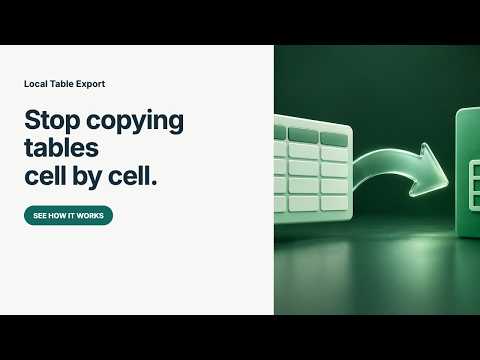
Select a web table, review and edit its cells, then export Excel or CSV. Processed locally, without an account.
Turn a browser table into a spreadsheet you can actually use. Local Table Export lets you select an HTML table or accessible ARIA grid on a webpage, review its cells, make corrections and download Excel (.xlsx) or CSV. FEATURES • Click to select a table on the current page. • Review and edit cells before exporting. • Preserve leading-zero identifiers as text. • Choose Text or Number per Excel column. • Download a real .xlsx workbook or CSV file. • Process everything locally. No account, ads or subscriptions. HOW TO USE Open a webpage, click the extension, choose Select a table, then click a highlighted table. Review the preview and export. LIMITS Captures rows currently rendered in the page, up to 2,000 rows and 100 columns. Does not automatically paginate or extract PDF files, embedded frames or canvas grids. Merged cells expand into a rectangular grid with blank continuation cells. Cells longer than 10,000 characters are truncated with a warning. CSV formula-like text receives a protective apostrophe; Excel export preserves literal text. PRIVACY No table contents are uploaded. The preview is held in browser session storage until Chrome closes. Exported files stay where you save them.
0 out of 5No ratings
Details
- Version1.0.0
- UpdatedSeptember 29, 2026
- Offered byadarshknt
- Size21.11KiB
- LanguagesEnglish
- DeveloperAdarsh Kant
Qno A1 Gayatri Mandir Ranchi, Jharkhand 834004 INEmail
adarshknt@gmail.comPhone
+91 74881 71023 - TraderThis developer has identified itself as a trader per the definition from the European Union and committed to only offer products or services that comply with EU laws.
Privacy

Local Table Export — Excel & CSV has disclosed the following information regarding the collection and usage of your data. More detailed information can be found in the developer's privacy policy.
Local Table Export — Excel & CSV handles the following:
This developer declares that your data is
- Not being sold to third parties, outside of the approved use cases
- Not being used or transferred for purposes that are unrelated to the item's core functionality
- Not being used or transferred to determine creditworthiness or for lending purposes
Support
For help with questions, suggestions, or problems, visit the developer's support site