

EchoPilot: Meeting Recorder & AI Notes for Meet, Zoom, Teams

Overview
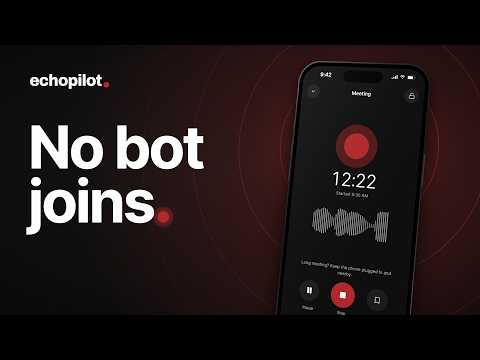
Record Google Meet, Zoom and Teams calls with the EchoPilot app, then get AI meeting minutes, action items and answers.
EchoPilot records your browser meetings and turns them into clear minutes, so you can stay in the conversation instead of taking notes. This extension connects Chrome to the EchoPilot app for Mac and Windows. When you join a call on Google Meet, Zoom or Microsoft Teams, it lets the app know, so the app can capture the calls you chose and stop when they end. WHAT YOU GET AFTER EVERY MEETING • AI minutes: a summary, decisions, action items and key points • A searchable transcript of the whole conversation • Answers to your questions, linked to the exact moment they came up • Action items you can send to your task and note apps after you review them • Everything on your phone, the web and your computer, in one account HOW IT WORKS 1. Add this extension to Chrome. 2. Download the app for Mac or Windows at echopilotapp.com and sign in. 3. In the app's Settings, turn on Browser meetings and choose automatic or ask first for each meeting app. 4. Join as usual. Capture stops when the conversation ends, and your minutes follow. YOU STAY IN CONTROL • Nothing is captured unless you set it up, and "ask first" is always an option. • The extension only checks whether a supported page is in a call. • It never reads your messages, pages or other tabs, and it sends nothing over the internet. It talks only to the app on your computer. • Let everyone know you're recording. It's the right thing to do, and in many places it's the law. Start free at echopilotapp.com. Automatic recording is included with EchoPilot Pro.
0 out of 5No ratings
Details
- Version1.0.2
- UpdatedOctober 1, 2026
- Offered bylatentkit
- Size23.42KiB
- LanguagesEnglish
- DeveloperAmir ur Rehman
Email
info@latentkit.comPhone
+971 58 594 9592 - TraderThis developer has identified itself as a trader per the definition from the European Union and committed to only offer products or services that comply with EU laws.
Privacy

EchoPilot: Meeting Recorder & AI Notes for Meet, Zoom, Teams has disclosed the following information regarding the collection and usage of your data. More detailed information can be found in the developer's privacy policy.
EchoPilot: Meeting Recorder & AI Notes for Meet, Zoom, Teams handles the following:
This developer declares that your data is
- Not being sold to third parties, outside of the approved use cases
- Not being used or transferred for purposes that are unrelated to the item's core functionality
- Not being used or transferred to determine creditworthiness or for lending purposes
Support
For help with questions, suggestions, or problems, visit the developer's support site