
![תמונת לוגו הפריט של Peacock TV Speeder: adjust playback speed [QVI]](https://lh3.googleusercontent.com/GVBnwnZh6Q7ndOTE3yWn6l6RD4Ew4WfbtI21kf7tZSrjj8OUCwEByx3-RJNKV-18sCF6pSBLmukh_PegfkQkSJRR3g=s60)
Peacock TV Speeder: adjust playback speed [QVI]
10 דירוגים
)![פריט מדיה 2 (צילום מסך) של Peacock TV Speeder: adjust playback speed [QVI]](data:image/gif;base64,R0lGODlhAQABAIAAAP///////yH5BAEKAAEALAAAAAABAAEAAAICTAEAOw==)
סקירה כללית
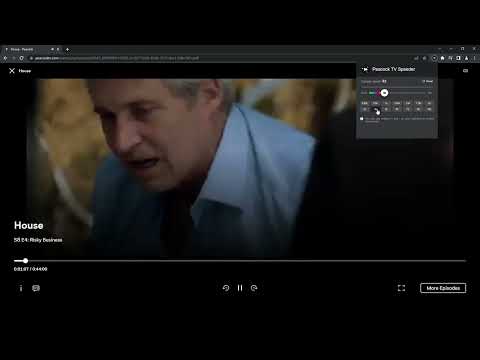
Extension allows to adjust the playback speed on Peacock TV according to preference
Get your skates on and be in control of the playback speed on Peacock TV. This extension will allow you to either speed up or slow down shows and movies to enjoy watching your favorite content at your own pace. Didn't catch that fast-talking dialogue? Want to experience your favorite scenes in slow-motion? Or maybe you'd like to fast forward the less interesting part to enjoy the series finale? You're in the right place! Here's the solution for changing the video speed. All you need to do is to add the extension to your browser and run the control panel which enables you to choose from 0.25x up to 16x speed rates. You can also use hotkeys on your keyboard to control it. It is as simple as that! How to find Speeder's control panel: 1. After installation, click the small puzzle piece icon next to your Chrome profile avatar (top right corner of the browser window) 2. You'll see all your installed and enabled extensions. 3. You can pin Speeder to have it always on top in your browser. 4. Click the Speeder icon and try different speed settings. Disclaimer : Peacock TV is a trademark of NBCUniversal Television and Streaming. This website & extension hold no association or affiliation with Peacock TV or any third-party companies. This extension is part of the Quality Viewership Initiative, a collaborative effort to enhance the understanding of audience engagement. It collects anonymous, aggregated viewing insights to support creators and studios in improving the quality of their content. You can stop sharing your information at any time by switching the toggle on the options page.
4.1 מתוך 510 דירוגים
פרטים
- גרסה1.3.29
- עדכון אחרון17 בפברואר 2026
- מאתdogooodapp
- גודל89.36KiB
- שפות8 שפות
- מפתחHideApp
1021 East Lincolnway Cheyenne, WY 82001 USאימייל
dogooodapp@gmail.comטלפון
+1 802-284-5301 - עסקהמפַתח הזה ציין שהעסק שלו מוגדר לפי התקנות באיחוד האירופי, והתחייב להציע רק מוצרים או שירותים שעומדים בדרישות של חוקי האיחוד האירופי.
- D-U-N-S132615120
פרטיות

הפרטים הבאים נמסרו על ידי Peacock TV Speeder: adjust playback speed [QVI] בנוגע לאיסוף הנתונים שלך ולשימוש בהם. מידע מפורט זמין בprivacy policy של המפתח.
Peacock TV Speeder: adjust playback speed [QVI] מטפל בדברים הבאים:
המפַתח הזה מצהיר כי הנתונים שלך:
- לא יימכרו לצדדים שלישיים, למעט בתרחישים שאושרו
- לא משמשים או מועברים למטרות שאינן קשורות לפונקציונליות המרכזית של הפריט
- לא משמשים או מועברים לצורך קביעת מצב אשראי או לצורכי הלוואה
תמיכה
כדי לקבל עזרה לגבי שאלות, הצעות או בעיות, אפשר לפתוח את הדף הזה בדפדפן במחשב