

Ebay To AliExpress Autofill address
9 ratings
)
Overview
Save time on AliExpress - auto-fill your address in seconds. Supports UK, US, AU, DE and IT addresses.
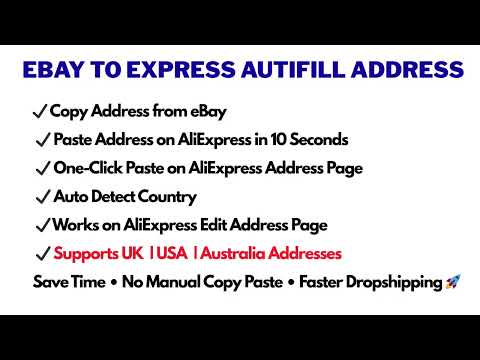
Stop retyping your buyers' addresses. Autofill Address updates your AliExpress shipping address straight from the address you copied on eBay. You don't even have to open the AliExpress address form. Then it double-checks every field for you. ⚡ HOW IT WORKS 1. Copy the buyer's address from your eBay order. 2. Open the AliExpress order confirm page. 3. Press Ctrl+V, or click the floating 📋 button. 4. The address is filled, verified and saved automatically. You can also use the floating 📋 button on the AliExpress address manage page. ✅ WHAT YOU GET ✔ Ctrl+V on the confirm page: paste and the address starts filling ✔ No need to open the AliExpress address form: the address is updated for you ✔ Floating 📋 button on the confirm page and the address manage page ✔ Fills name, address, city, state/county, postcode and phone ✔ Auto-detects the country and applies the right formatting rules ✔ Auto-verify: fields are re-checked after filling, and anything wrong is flagged before you place the order ✔ Auto-save: the address is saved on AliExpress, no extra clicking ✔ Field lock to prevent accidental edits after filling ✔ Toast notifications showing the fill status ✔ Keyboard shortcut support 🌍 SUPPORTED COUNTRIES •🇬🇧 United Kingdom: Postcode lookup and validation • 🇺🇸 United States: ZIP detection and state auto-fill • 🇦🇺 Australia: State and postcode auto-detection • 🇩🇪 Germany: PLZ-based city auto-fill • 🇮🇹 Italy: State and postcode auto-detection ⚙️ CUSTOMIZE EVERYTHING - Default country and default phone number - Fill speed and timing delays - Floating button colour, size, position and opacity (or hide it) - Turn auto-save, verification and notifications on or off - Settings sync across your Chrome browsers via your Google account 👥 WHO IT'S FOR eBay dropshippers who order from AliExpress daily, virtual assistants handling high order volumes, and anyone who wants to avoid failed deliveries caused by one wrong postcode digit or phone number. 🔒 PRIVATE BY DESIGN - Runs only on AliExpress pages (aliexpress.com and aliexpress.us) - Settings are stored on your device and synced via your own Google account - We do not collect, store or send your data anywhere 🔑 PERMISSIONS EXPLAINED - Clipboard Read: to read the address you copied - Storage: to save your settings - Active Tab and Scripting: to fill the address fields on the current AliExpress page Autofill Address is an independent tool and is not affiliated with, endorsed by, or sponsored by eBay Inc. or AliExpress / Alibaba Group. All product names and trademarks belong to their respective owners.
4.8 out of 59 ratings
Details
- Version1.45
- UpdatedOctober 7, 2026
- Offered byUniversal Web Toolkit
- Size2.03MiB
- LanguagesEnglish
- Developer
Email
munawarakram@gmail.com - Non-traderThis developer has not identified itself as a trader. For consumers in the European Union, please note that consumer rights do not apply to contracts between you and this developer.
Privacy

This developer declares that your data is
- Not being sold to third parties, outside of the approved use cases
- Not being used or transferred for purposes that are unrelated to the item's core functionality
- Not being used or transferred to determine creditworthiness or for lending purposes
Support
For help with questions, suggestions, or problems, please open this page on your desktop browser