


Overview
A simple, no-code extension to collect data from any website.
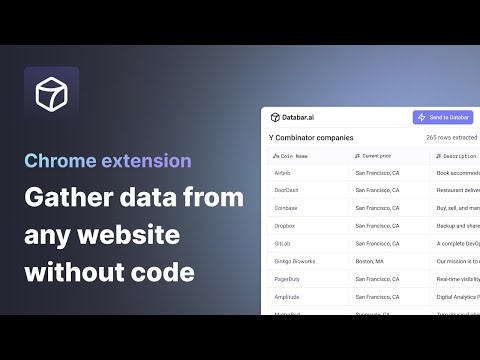
The simplest way to collect data from any website. Click. Select. Export. Turn any webpage into structured data without writing a single line of code. How it works: 1. Open any webpage and click the Databar extension 2. Select the data you want by clicking on elements 3. Watch as matching data is automatically detected across the page 4. Export your dataset or send it to your favorite tools Features: > Visual point-and-click selection — no CSS or XPath needed > Smart detection finds similar elements automatically > Extract nested data with sub-fields > Auto-scroll captures data from infinite scroll pages > Export to CSV instantly > Connect to Google Sheets, n8n, or your CRM Supercharge with Databar: > Send data directly to your Databar workspace and enrich it with 100+ third-party APIs — add contact info, company data and more to build complete datasets. > Built for individuals and teams. Free to use. Please ensure your use complies with the terms of service of any website you scrape. Users are responsible for using this tool ethically and legally.
4.8 out of 522 ratings
Details
- Version0.3.1
- UpdatedFebruary 17, 2026
- Size712KiB
- LanguagesEnglish (United States)
- Developer
- Non-traderThis developer has not identified itself as a trader. For consumers in the European Union, please note that consumer rights do not apply to contracts between you and this developer.
Privacy

This developer declares that your data is
- Not being sold to third parties, outside of the approved use cases
- Not being used or transferred for purposes that are unrelated to the item's core functionality
- Not being used or transferred to determine creditworthiness or for lending purposes
Support
For help with questions, suggestions, or problems, visit the developer's support site