


Overview
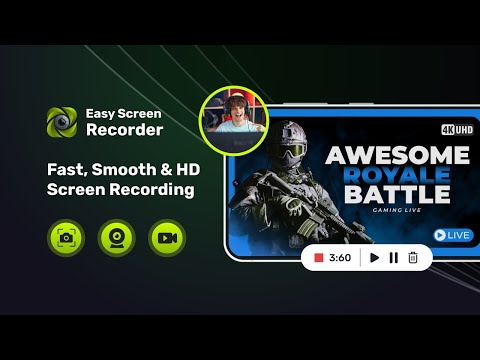
Easy Screen Recorder - Capture your screen, webcam & audio in HD with smart tools, seamless sharing, and zero lag.
Easy Screen Recorder is a fast, lightweight, and high-quality screen recording Chrome extension that lets you capture everything on your screen with perfect clarity. Record full screen, window, tab, or even a custom selected area. Capture webcam, mic audio, system sound, take screenshots, and save videos instantly — all with no watermark and zero complexity. Whether you're creating tutorials, recording meetings, capturing classes, or making videos for YouTube, Easy Screen Recorder gives you the simplest and most powerful screen recording tools in your browser. Key Features Record Anything on Your Screen Full Screen Recording Window & Tab Recording Custom Area Recording (drag to select any region) HD/Full HD video output Webcam / Face Cam Overlay Add your face cam in a small circular window — perfect for tutorials, reaction videos, and presentations. Smart Auto-Stop Timer Set a timer and let the extension automatically stop recording when time ends — record only what you need. Audio Recording Microphone audio System sound Both combined One-Click Screenshots Capture clean screenshots of your screen instantly. Instant Saving & Sharing Videos are saved directly to your device, with fast export and no compression issues. Private & Secure Your recordings stay on your device. No uploads. No tracking. No data collection. Perfect For Online classes & e-learning Work presentations & client demos Tutorials & how-to videos Team meetings & walkthroughs Gaming clips YouTube content Bug reporting & feedback Social media content creation Why Users Choose Easy Screen Recorder Ultra-lightweight & fast HD results with no watermark Simple one-click interface Highly customizable Works on any website 100% secure & privacy-friendly Free to use with premium-grade features
4.4 out of 57 ratings
Details
- Version3.6.0
- UpdatedAugust 18, 2026
- Size20.27MiB
- LanguagesEnglish (United States)
- DeveloperNCAP SOLUTIONS LLPWebsite
Office No. 409, 4th Floor, Building No. A, Sumerru Business Corner, Pal Hazira Road, Adajan Surat, Gujarat 395009 INEmail
email@ncapsolutionsllp.comPhone
+91 90233 27044 - TraderThis developer has identified itself as a trader per the definition from the European Union and committed to only offer products or services that comply with EU laws.
- D-U-N-S955486745
Privacy

Easy Screen Recorder has disclosed the following information regarding the collection and usage of your data. More detailed information can be found in the developer's privacy policy.
Easy Screen Recorder handles the following:
This developer declares that your data is
- Not being sold to third parties, outside of the approved use cases
- Not being used or transferred for purposes that are unrelated to the item's core functionality
- Not being used or transferred to determine creditworthiness or for lending purposes
Support
For help with questions, suggestions, or problems, visit the developer's support site