


개요
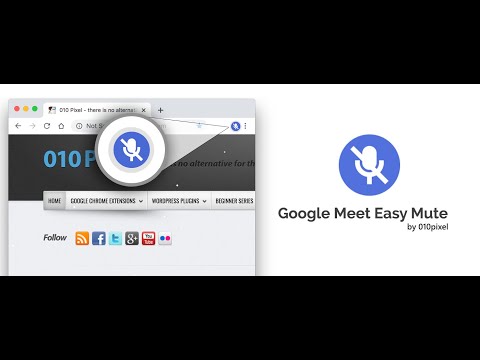
A simple extension for mute/unmute Google Meet calls from browser icon. Including options to by default turn microphone/camera off.
Easy Mute for Google Meet One of the best extensions to work with Google Meet. ✨ FEATURES: ✅ Simply Mute/Unmute (🔇) Google Meet calls directly from the browser icon ✅ Shows how many calls are mute ✅ Shows how many calls are unmute ✅ Mute Microphone by default ✅ Off Camera by default ✅ Toggle mute/unmute Microphone using Spacebar ✅ Toggle on/off Camera using Spacebar 🛠️ TROUBLESHOOTING: - In case the extension doesn't work, try again after refreshing the page 🦾 HOW DOES IT DECIDE WHICH CALL TO MUTE: ➡ If you have just 1 tab with Google Meet Call (either the join screen or you have already joined the call): - Pressing the mute button from any tab will toggle mute ➡ If you have more than 1 tab with Google Meet Call and you haven’t joined any of them: - Pressing the mute button from a tab with the call will only toggle mute for that tab - Pressing the mute button from any other tab will toggle all of your calls (you haven’t joined any of them so doesn’t matter) ➡ If you have more than 1 tab with Google Meet Call and you have joined only 1 of them - Pressing the mute button from a tab with the call (joined or not joined yet) will only toggle mute for that tab - Pressing the mute button from any other tab will ONLY mute that one tab where you have joined the call ➡ If you have more than 1 tab with Google Meet Call and you have joined the call in more than 1 tab - Pressing the mute button from a tab with the call (joined or not joined yet) will only toggle mute for that tab - Pressing the mute button from any other tab will make my extension confused coz which active call it should toggle. So it will show you a Red Cross sign and ask you to mute the right one yourself. 🔴 WHAT IF I SEE A RED CROSS BADGE? - It means you are having multiple calls going on and so the system is confused about which call to toggle mute. WORKS ON: ✅ Google Meet (https://meet.google.com) 📝 PRIVACY POLICY: This extension does not track any user data, and therefore does not require a detailed privacy policy. If this is insufficient please email browserextension@010pixel.com If you click on a third party link, you will be directed to that third party's site. We strongly advise you to review the Privacy Policy of every site you visit. We have no control over and assume no responsibility for the content, privacy policies or practices of any third party sites or services. Support this extension: https://coffee.010pixel.com
5점 만점에 3.3점평점 36개
세부정보
개인정보 보호

개발자가 사용자 데이터에 관해 다음과 같이 선언했습니다
- 승인된 사용 사례를 제외하고 서드 파티에 판매하지 않음
- 항목의 핵심 기능과 관련 없는 목적으로 사용하거나 전송하지 않음
- 신용도 판단 또는 대출 목적으로 사용하거나 전송하지 않음
지원
질문, 제안 또는 문제와 관련하여 도움이 필요하면 데스크톱 브라우저에서 이 페이지를 여세요.