

EarlyApply: LinkedIn Jobs Posted Last Hour, Alerts & Hide Promoted

Overview
Find LinkedIn jobs posted in the last hour. Remove promoted and reposted jobs, get job alerts, apply early. Free, private.
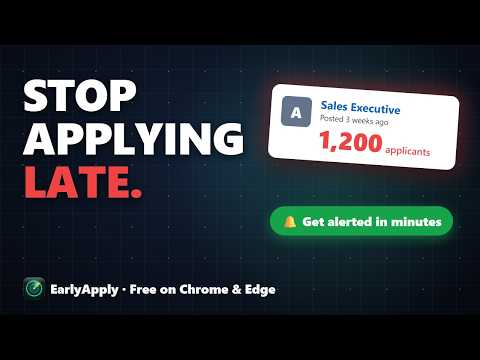
EarlyApply is a free LinkedIn job search tool for early applicants. Filter jobs posted in the last hour, remove reposted, promoted and staffing-agency jobs, and get job alerts in minutes. Works on LinkedIn's classic (old) job search and its new AI search. Be an early applicant, not number 300. You can also hide any company or job title. You still apply yourself. FIRST APPLICANT: LINKEDIN TIME FILTER AND NEWEST JOBS FIRST • LinkedIn time filter: last 1 hour, 30 minutes or 15 minutes, up to 12 hours (LinkedIn stops at 24 hours) • Your LinkedIn job search, newest first: the jobs with the fewest applicants are at the top • Hides the older jobs LinkedIn mixes into your results • The ★ Newest jobs button on LinkedIn's new search opens your search sorted newest first • Jobs LinkedIn marks "Be an early applicant" are highlighted • Works on the old (classic) LinkedIn job search and on its new AI-powered job search REMOVE PROMOTED AND REPOSTED JOBS ON LINKEDIN • Block any company: it never shows up in your searches again • Block job titles by word: an entry-level job seeker can hide "Senior", "Lead" and "Manager"; a developer can hide "Sales" or "Support" • One click "Hide company" on any job card • Remove promoted jobs, reposted jobs and too-old jobs from your LinkedIn results • Hide jobs you already viewed (LinkedIn has no filter for this) • Is there a way to filter out reposted jobs? Yes. Hide Reposted is on by default. Hide Promoted is one click (off by default, because promoted jobs are often new). • Hide staffing agencies (70+ known agencies in the US, India and worldwide, plus any company named like "… Staffing" or "… Recruitment") • "18 of 25 jobs hidden · Show them" lets you see exactly what was filtered out, with Previous and Next page right there JOB RADAR: LINKEDIN JOB ALERTS FOR NEW JOBS • Job Radar watches your LinkedIn search and alerts you as soon as a new job is posted, with a desktop notification and a chime • Choose how often it checks: every 3, 5, 10 or 15 minutes, or any time up to an hour • Shows exactly what it watches: keywords, location and every filter • The toolbar icon shows its state at a glance: still, scanning, or a gold blip when new jobs are waiting • Mute the sound right from the notification; "Watch it again" brings back your last search in one click • Remembers your search until you turn it off, even after Chrome restarts, and never alerts you about jobs you've hidden • One "Newest jobs" list: click a job and it opens on the right of the same page, so you never lose your search • "Send test alert" shows how your alerts will look, using your own search words SAVED ANSWERS AND DAILY GOAL • Save your usual answers once (notice period, expected salary, years of experience, a short intro, your own questions) • While you fill in an Easy Apply form, a small card shows the answer that fits each question, ready to copy • Set a daily goal ("10 a day") and see your progress and streak • EarlyApply never fills in, clicks or submits forms. You apply yourself. WHO IT IS FOR Job seekers, freshers and anyone applying to many LinkedIn jobs who wants to be among the first applicants. PRIVATE BY DESIGN • No account and no sign-in • No tracking, no analytics, no ads • Everything stays in your browser: nothing is sent to any server • Saved answers stay on your computer only • Matches your light or dark mode Every feature is free. EarlyApply is an independent project and is not affiliated with, endorsed by or sponsored by LinkedIn. LinkedIn is a trademark of LinkedIn Corporation. **What's new in 2.8.1** (update notes) • The toolbar icon now opens EarlyApply in Chrome's side panel, so it stays open while you browse (new permission: side panel) • On LinkedIn's new AI search, EarlyApply now checks each job page in the background and hides Reposted jobs before you open them • Hide Reposted is on by default. Hide Promoted is off by default, because promoted jobs are often new • New Hide Viewed switch: hide jobs you already opened • Job cards show small Promoted, Reposted and Older tags; early-applicant jobs have a green stripe • Job Radar panel: clearer settings, opened jobs move to the bottom, stays open when you click a job • One tour that shows every part of the bar, with a Back button
4.8 out of 56 ratings
Details
- Version2.8.1
- UpdatedNovember 21, 2026
- Size343KiB
- LanguagesEnglish
- DeveloperWebsite
Email
iamdheeraj0211@gmail.com - Non-traderThis developer has not identified itself as a trader. For consumers in the European Union, please note that consumer rights do not apply to contracts between you and this developer.
Privacy

This developer declares that your data is
- Not being sold to third parties, outside of the approved use cases
- Not being used or transferred for purposes that are unrelated to the item's core functionality
- Not being used or transferred to determine creditworthiness or for lending purposes
Support
For help with questions, suggestions, or problems, visit the developer's support site