

EagleReels - Instagram Reels Analytics & Tracker

Overview
Track Instagram Reels, monitor competitors, discover trends, analyze engagement metrics and grow your audience faster
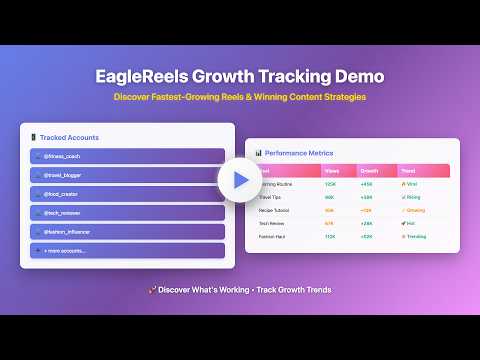
See What's Working on Instagram Reels Ever wonder why some Reels get millions of views while others don't? EagleReels helps you discover what's actually working by tracking real performance data from successful Instagram accounts. 🎯 What You Get 1. Track Any Instagram Account 1.1. Add competitors, influencers, or industry leaders 1.2. See their top-performing Reels with actual view counts, likes, and comments 2. Detect Viral Momentum Early 2.1. Track growth between updates to identify which Reels are gaining traction fast 2.2. When a video doubles its views overnight, you'll know before everyone else does — giving you a critical window to create similar content while the trend is still rising 3. Spot New Content Instantly 3.1. New Reels are automatically flagged with a "NEW" badge 3.2. Never miss what your competitors just posted 4. Compare Performance 4.1. Sort by views, likes, or engagement to see what content formats are winning 4.2. Track up to 500 Reels per account 5. Export & Share 5.1. Generate HTML reports with charts and data tables 5.2. Perfect for client presentations or team meetings 6. 100% Private 6.1. All data stays on your computer 6.2. No cloud storage, no data collection, no tracking 🚀 Perfect For 1. Content creators who want to see what's getting views in their niche 2. Social media managers tracking competitor strategies 3. Marketers researching successful content formats 4. Anyone curious about Instagram Reels performance 💡 How It Works 1. Ensure you're logged into Instagram in your current browser (required to access Reels data — the extension never accesses your Instagram account information) 2. Click "Update Data" - takes 1-3 minutes per account 3. Browse results sorted by performance 4. Export reports for offline analysis 🔒 Privacy First Unlike expensive analytics platforms that store your data on their servers, EagleReels keeps everything local. Your Instagram login stays in your browser, and all collected data is stored only on your computer. 📊 Use Cases 1. Before Creating Content 1.1. Check what types of Reels are getting the most views in your niche 2. Competitive Research 2.1. See which of your competitor's Reels performed best this week 3. Client Reports 3.1. Export professional HTML reports showing competitor performance 4. Trend Spotting 4.1. Identify new content from tracked accounts immediately 🎓 Getting Started 1. Install the extension 2. Log into Instagram in your browser 3. Add accounts you want to track 4. Click "Update Data" 5. See results sorted by performance No complicated setup, no API keys, no monthly fees. 🌟 Free Alternative to Expensive Tools Social media analytics platforms charge $50-500/month for similar features. EagleReels gives you the essentials completely free. Perfect for individuals, small teams, and anyone who doesn't need enterprise features. Support & Updates Regular updates ensure compatibility with Instagram. If Instagram changes their page structure, we update the extension to keep it working.
0 out of 5No ratings
Details
- Version1.0.1
- UpdatedMay 24, 2026
- Size55.4KiB
- LanguagesEnglish
- Developer
- Non-traderThis developer has not identified itself as a trader. For consumers in the European Union, please note that consumer rights do not apply to contracts between you and this developer.
Privacy

EagleReels - Instagram Reels Analytics & Tracker has disclosed the following information regarding the collection and usage of your data. More detailed information can be found in the developer's privacy policy.
EagleReels - Instagram Reels Analytics & Tracker handles the following:
This developer declares that your data is
- Not being sold to third parties, outside of the approved use cases
- Not being used or transferred for purposes that are unrelated to the item's core functionality
- Not being used or transferred to determine creditworthiness or for lending purposes
Support
For help with questions, suggestions, or problems, please open this page on your desktop browser