

Dynamics 365 Integration for Gmail

Tổng quan
Track emails, sync calendars, work with activities, convert important emails into Dynamics 365 activities without leaving Gmail and…
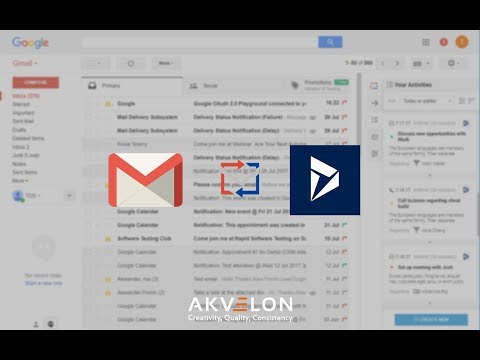
Track emails, sync calendars, work with activities, convert important emails into Dynamics 365 activities without leaving Gmail and more: ✓ Track emails and conversations from Gmail to Dynamics 365 ✓ Automatically sync emails to D365 ✓ Convert important emails into tasks, show them in convenient To-Do list and save directly into D365 ✓ Add new prospects, contacts and companies from LinkedIn to D365 in one click ✓ Set the next actions and create new CRM activities directly from LinkedIn in order to plan and track all further communications with prospects ✓ Sync events between Google and D365 calendars ✓ Create, view, manage and navigate activities and entities ✓ Supports Custom objects and fields out-of-the-box ✓ Install in less than a minute, no additional configuration needed ✓ Track down emails, conversations and attachments from Gmail and save them directly into D365. Akvelon’s Dynamics 365 Integration for Gmail is very pragmatic and includes countless possibilities for lead generation and organization in Gmail. It enables users to track down emails, conversations and attachments from Gmail and save them directly into D365. Quickly find existing records in CRM or create new entity with just one click and track correlated emails. No additional set up needed, this extension works out-of-the-box, supporting custom entities and attributes. Replication of CRM Activities grid in Gmail provides users with the ability to quickly view, search, and manage CRM activities without leaving Gmail interface. Google and D365 calendar sync allows users to keep all events up-to-date and organized. It syncs in background mode and does not require additional actions while you are working. WE DON’T WANT YOUR DATA - We do not store User Sensitive info excepting user ID and organization ID for license management purposes - Akvelon protects your data with the industry's strongest encryption methods REQUIRED PERMISSIONS: "storage" - to store users' data (events from Google calendar, CRM records, Auth tokens) "identity" - to sign in to Gmail and D365 using Google OAuth and CRM OAuth accordingly (core functionality which is needed to integrate Gmail with CRM) "downloads" - to download log files - user has the ability to collect and send log file manually (does not contain any sensitive info) to Akvelon Support team in case he/she experiences any issues with the application "tabs" - to open new CRM windows to create new CRM activities and CRM records. Also it is needed to sign in to Google account in order to iterate with Gmail emails, contacts and Google calendar "unlimitedStorage" - to store events from Google calendar, CRM records, Auth tokens in browser's local storage (available only for user). This data is needed in order to iterate with Gmail and CRM and integrate them between each other "webRequest" - to connect to D365 On-Premise through ADFS (to confirm correctness of domain as we can't get this data beforehand - all users use different URL's) "https://login.microsoftonline.com/*" - to login to D365 CRM using OAuth "https://*.dynamics.com/" - to iterate with Dynamics 365 CRM (create new records, update existing ones, sync CRM and Google calendars) "https://www.googleapis.com/ - to get data from Google API (get info about emails, contacts and calendar) which is needed to add information from Gmail to CRM https://accounts.google.com/o/oauth2/auth - login to Gmail using Google OAuth (user has to authorize in order to get access to his/her data located in Gmail, Google Calendar and Contacts (to save this data to CRM) https://accounts.google.com/o/oauth2/token - to get Google token for OAuth (it allows users to work with the app without necessity to re-login too often) https://cgiprod.akvelon.net/ - to connect to Akvelon license server in order to manage subscription BY INSTALLING THE APP, YOU AGREE TO PRIVACY POLICY AND TERMS OF USE: Privacy Policy: https://akvelon.com/products-dynamics-crm-integration-for-gmail-privacy/ End-User License Agreement: https://akvelon.com/dynamic/CGIEULA.pdf Third-party extensions installed in Chrome can potentially conflict with this extension, especially if those extensions integrate with Gmail. It can cause unexpected issues like missing icons/buttons or sidebar loading off-screen. To learn more about it please visit our user manual: https://avocado.software/manuals/cgiUserManual# This extension use and transfer to any other app of information received from Google APIs will adhere to Google API Services User Data Policy, including the Limited Use requirements (https://developers.google.com/terms/api-services-user-data-policy#additional_requirements_for_specific_api_scopes).
4,5/515 lượt xếp hạng
Chi tiết
- Phiên bản10.3.0
- Đã cập nhật26 tháng 5, 2025
- Tính năngCung cấp tính năng mua trong ứng dụng
- Kích thước706KiB
- Ngôn ngữEnglish
- Nhà phát triểnAkvelon, Inc.Trang web
3120 139th Ave SE Ste 100 Bellevue, WA 98005-4491 USEmail
products@akvelon.usĐiện thoại
+1 561-305-1598 - Người bán thương mạiTheo định nghĩa của Liên minh Châu Âu, nhà phát triển này đã tự nhận mình là người bán và cam kết chỉ cung cấp những sản phẩm hoặc dịch vụ tuân thủ luật pháp của Liên minh Châu Âu.
- D-U-N-S829720676
Quyền riêng tư

Dynamics 365 Integration for Gmail đã công bố thông tin sau đây liên quan đến việc thu thập và sử dụng dữ liệu của bạn. Bạn có thể xem thêm thông tin chi tiết trong privacy policy của nhà phát triển.
Dynamics 365 Integration for Gmail xử lý dữ liệu sau:
Nhà phát triển này tuyên bố rằng dữ liệu của bạn
- Không được bán cho bên thứ ba, ngoài những trường hợp sử dụng đã được phê duyệt
- Không được sử dụng hoặc chuyển nhượng cho các mục đích không liên quan đến chức năng chính của mặt hàng
- Không được sử dụng hoặc chuyển nhượng để xác định khả năng thanh toán nợ hoặc phục vụ mục đích cho vay
Hỗ trợ
Nếu bạn có câu hỏi, ý kiến đề xuất hoặc gặp vấn đề, vui lòng mở trang này bằng trình duyệt dành cho máy tính để được trợ giúp