

Dumping Cloud - SalesForce & Cloud File Manager

Overview
A Quick & Easy way to manage every salesforce File(s) and its actions, without Leaving the Salesforce Object or Record Page.
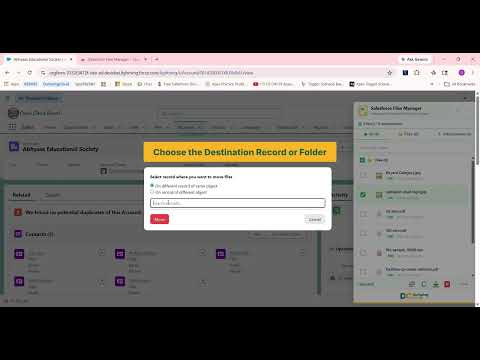
# DumpingCloud - Salesforce File Manager is a quick way to Manage or turns any object tab or individual record page into a complete files workbench for Salesforce, where admins or developer (or any user) can perform bulk file actions directly in salesforce like View, download, delete, copy, move, rename, watermark, compare, merge, sync, zip, split, convert and even translate your files—all without opening a new tab or touching Data Loader or using any external app. ✅ No login required — automatically detects your active Salesforce session. Designed for admins & ops teams. No login required.** ## Key Features ✅ Sync files to external cloud platforms to cut Salesforce storage costs. ✅ Merge multiple files into one — page selection, reorder, rotate, and arrange pages your way and save directly on same record ✅ Watermark any file with custom text or image stamps in a few clicks. ✅ Split — Break any PDF or document (.docx) into multiple separate files, directly from your Salesforce record. No downloads. No third-party tools. ✅ Translate files into 49 other languages while preserving the original file language. ✅ Zip multiple files instantly and save directly on same record ✅ Compare multiple files (side by side), without leaving the extension. ✅ Convert files into different type of your choice (Eg: PDF to doc or doc to PDF, PDF to PNG and many more.). ✅ Generate base64 for any file in one click. ✅ View & download multiple files and attachments at once, from any record. ✅ Delete single or multiple files in a click to keep your org clutter-free. ✅ Copy files and attachments to different records (of same object or different object) within the same org. ✅ Move files across objects — Move files and attachments to different records (of same object or different object). ✅ Bulk rename files using patterns instead of updating them one by one. ✅ Preview images and PDFs in-window, with no download or new tab needed. **The fastest way to manage multiple Salesforce files right from any Object or Record Level defined in different categories::: ✅ View --> Preview, Download, Compare ✅ Organise --> Move, Copy, Rename, ZIP ✅ Transact --> Watermark, Split, Merge, Translate, Convert ✅ Sync -- Sync ✅ Clean up --> Delete ## How It Works 1️⃣ Install the Chrome extension — it detects your Salesforce session automatically, no login required. 2️⃣ Open any Object tab or Salesforce record page (eg: account, opportunity, case, or custom object). 3️⃣ Click the Salesforce File Manager icon to view every file and attachment tied to that individual record or few all the files related that object 4️⃣ Select files the type of action to perform. 5️⃣ Changes apply directly in your org — no Data Loader, no manual cleanup. ## Official webpage ✅ Webpage: https://dumpingcloud.com/ ## For Detailed blogs for each feature ✅ https://dumpingcloud.com/all-blogs/ ## Security & Privacy Salesforce File Manager is built with security as a priority. It works entirely within your existing Salesforce session and permissions, so you only ever see and manage files you're already authorized to access. No credentials are stored, and file actions respect your org's sharing rules. ## About Salesforce File Manager Our mission is to give Salesforce admins and ops teams their time back. Instead of exporting, re-uploading, and manually managing files record by record, Salesforce File Manager brings the "Data Loader experience" to files — so your org stays clean, organized, and easy to manage.
5 out of 512 ratings
Details
- Version1.49
- UpdatedOctober 16, 2026
- Size2.96MiB
- LanguagesEnglish (United States)
- DeveloperAYAN SOFTWARESWebsite
B6/1F/GF CENTRAL GREEN AVENUE NIT3 FARIDABAD, Haryana 121001 INEmail
mohit.bansal@ayansoftwares.comPhone
+91 99531 70767 - TraderThis developer has identified itself as a trader per the definition from the European Union and committed to only offer products or services that comply with EU laws.
- D-U-N-S754355359
Privacy

This developer declares that your data is
- Not being sold to third parties, outside of the approved use cases
- Not being used or transferred for purposes that are unrelated to the item's core functionality
- Not being used or transferred to determine creditworthiness or for lending purposes
Support
For help with questions, suggestions, or problems, please open this page on your desktop browser