

DubFlow: Real-time AI Translation
2 ratings
)
Overview
Your personal AI interpreter for every meeting.
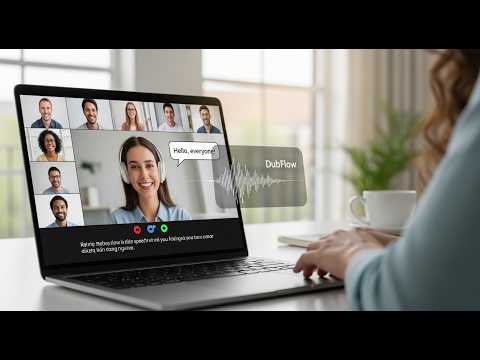
Works everywhere — Zoom, Google Meet, Microsoft Teams, YouTube, Netflix, any website Real-time AI translation from any browser tab. Ultra-fast AI dubbing with 100+ languages, natural voice cloning, and live subtitles. • Works everywhere — Zoom, Google Meet, Microsoft Teams, YouTube, Netflix, any website. 🎙️ DubFlow adds real-time AI translation to any video, audio or meeting playing in your browser — turning foreign speech into perfectly dubbed native audio instantly. Whether you're in an international Zoom meeting, watching a foreign film, attending a webinar, or learning a new language, DubFlow translates everything directly on the page with Netflix-style natural voice. ✨ KEY FEATURES: • Real-time AI Translation — Live speech-to-speech with natural intonation • 100+ languages supported — Including Afrikaans, Albanian, Arabic, Armenian, Azerbaijani, Bashkir, Basque, Belarusian, Bengali, Bosnian, Bulgarian, Catalan, Chinese (Cantonese), Chinese (Mandarin), Croatian, Czech, Danish, Dutch, English, Estonian, Finnish, French, Galician, Georgian, German, Greek, Gujarati, Hebrew, Hindi, Hungarian, Icelandic, Indonesian, Italian, Japanese, Kannada, Kazakh, Korean, Latvian, Lithuanian, Macedonian, Malay, Malayalam, Maltese, Marathi, Mongolian, Norwegian, Persian, Polish, Portuguese, Punjabi, Romanian, Russian, Serbian, Slovak, Slovenian, Spanish, Swahili, Swedish, Tagalog, Tamil, Telugu, Thai, Turkish, Ukrainian, Urdu, Uzbek, Vietnamese, Welsh and more +. • Live floating subtitles — Clean, timed captions in your chosen language • Subtitle animations — Choose None, Fade, or Slide-up transitions • Full customization — Font size, colors, opacity, position, drag & resize overlay • Works everywhere — Zoom, Google Meet, Microsoft Teams, YouTube, Netflix, any website • One-click activation — No extra apps or hardware needed • Keyboard shortcut — Alt+S to toggle dubbing instantly • Private backend — Everything processed through your own secure server 🚀 HOW TO USE: 1. Click the DubFlow icon and log in with your Google account (free trial available) 2. Go to any tab with audio or video you want to translate 3. Choose your target language (optional – auto-detect works great) 4. Click the record button or press Alt+S — translation and dubbing starts instantly 💰 PRICING: Free trial: 60 minutes for all new users $14 / 1200 minutes (~20 hours) $29 / 3,000 minutes (~50 hours) $49 / Unlimited minutes translate 🔒 PRIVACY: • No data collection — Zero analytics, tracking, or telemetry • No storage — Audio streams directly to your private backend, never saved on our servers • Your meetings stay private
3 out of 52 ratings
Details
- Version1.0.0
- UpdatedApril 12, 2026
- FeaturesOffers in-app purchases
- Size68.25KiB
- LanguagesEnglish
- DeveloperKINGAGENTAI LLC
1001 S Main St Kalispell, MT 59901-5635 USEmail
akonymike@gmail.comPhone
+84 396 562 162 - TraderThis developer has identified itself as a trader per the definition from the European Union and committed to only offer products or services that comply with EU laws.
- D-U-N-S141536095
Privacy

This developer declares that your data is
- Not being sold to third parties, outside of the approved use cases
- Not being used or transferred for purposes that are unrelated to the item's core functionality
- Not being used or transferred to determine creditworthiness or for lending purposes