

DualPiP – Picture in Picture with Subtitles and AI Translation

Overview
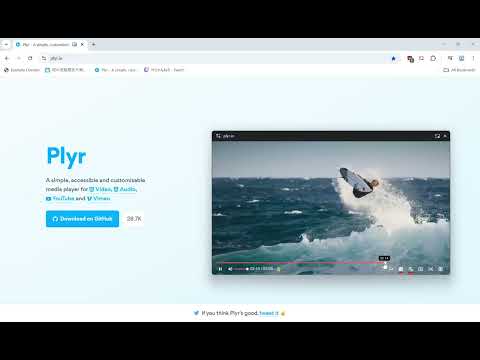
Enhanced Picture-in-Picture with subtitle, AI translation, playback controls, danmaku support, and thumbnail preview.
DualPiP – Picture-in-Picture Player with Dual Subtitles, Translation & Live Comments Watch videos in Picture-in-Picture mode with dual subtitles, subtitle translation, live comments, thumbnail previews, and playback controls. Ideal for language learning, online courses, and multitasking. -------------------------------------------------- What is DualPiP? DualPiP is a Chrome extension designed for efficient video learning and an enhanced viewing experience. It builds on the browser’s native Picture-in-Picture (PiP) functionality by adding advanced subtitle, translation, and interaction features, allowing you to clearly understand video content even in a floating window. Whether you are watching foreign-language videos, online courses, TV shows, or live streams, DualPiP helps you stay focused and productive without switching tabs or interrupting your workflow. -------------------------------------------------- Why choose DualPiP? ⚡ One-click Picture-in-Picture mode with support for major video platforms 🌍 Dual subtitles and subtitle translation, ideal for language learning and foreign-language content 💬 Live comments (danmaku) support, preserving interactive viewing experiences 🔒 Runs entirely locally with a privacy-first design and no data collection -------------------------------------------------- Key Features 🎬 Enhanced Picture-in-Picture Player Play videos in an independent floating window with full playback controls. Freely move and resize the window for true multitasking. 🌐 Dual Subtitles & Subtitle Translation Automatically detects available subtitles and displays them in two languages, making it easier to understand foreign-language content across learning, educational, and international platforms. 🖼️ Timeline Thumbnail Preview Hover over the progress bar in Picture-in-Picture mode to preview video thumbnails and quickly navigate to important moments. 💬 Live Comments (Danmaku) Supports Bilibili, NicoNico, and selected live comment systems, displaying comments directly within the Picture-in-Picture window. ⚡ Keyboard Shortcuts & Optimized Controls Configurable keyboard shortcuts and streamlined controls reduce mouse usage and improve overall viewing efficiency. 🛡️ Privacy & Security All features run locally in your browser. No uploads, no tracking, and no analysis of your viewing activity. -------------------------------------------------- Who is DualPiP for? - Language learners and self-directed learners - Viewers of online courses, lectures, and educational videos - TV series, anime, and live stream enthusiasts - Multitaskers who want to watch videos while working -------------------------------------------------- With DualPiP, you can: - Continue watching videos while coding, taking notes, or working - Read and understand foreign-language subtitles directly in Picture-in-Picture mode - Maintain a balance between productivity and entertainment 👉 Install DualPiP now and experience a more efficient way to watch videos.
3.9 out of 510 ratings
Details
- Version1.4.0
- UpdatedJanuary 12, 2026
- Size951KiB
- Languages12 languages
- DeveloperWebsite
Email
support@rabbitpair.com - Non-traderThis developer has not identified itself as a trader. For consumers in the European Union, please note that consumer rights do not apply to contracts between you and this developer.
Privacy
This developer declares that your data is
- Not being sold to third parties, outside of the approved use cases
- Not being used or transferred for purposes that are unrelated to the item's core functionality
- Not being used or transferred to determine creditworthiness or for lending purposes
Support
For help with questions, suggestions, or problems, please open this page on your desktop browser