Item logo image for DualPiP – PiP Player | ASR Live Captions · Subtitles & AI Translation

DualPiP – PiP Player | ASR Live Captions · Subtitles & AI Translation

rabbitpair.com
Featured
4.8(

163 ratings

)
Item media 3 (screenshot) for DualPiP – PiP Player | ASR Live Captions · Subtitles & AI Translation
Item media 4 (screenshot) for DualPiP – PiP Player | ASR Live Captions · Subtitles & AI Translation
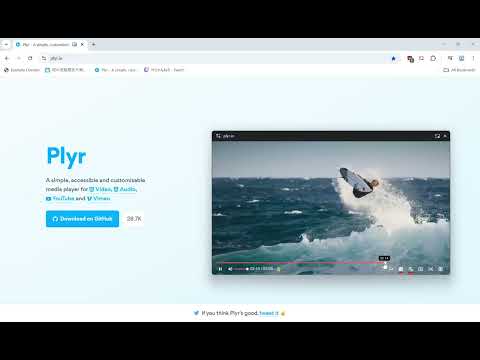
Item video thumbnail
Item media 2 (screenshot) for DualPiP – PiP Player | ASR Live Captions · Subtitles & AI Translation
Item media 3 (screenshot) for DualPiP – PiP Player | ASR Live Captions · Subtitles & AI Translation
Item media 4 (screenshot) for DualPiP – PiP Player | ASR Live Captions · Subtitles & AI Translation
Item video thumbnail
Item media 2 (screenshot) for DualPiP – PiP Player | ASR Live Captions · Subtitles & AI Translation
Item video thumbnail
Item media 2 (screenshot) for DualPiP – PiP Player | ASR Live Captions · Subtitles & AI Translation
Item media 3 (screenshot) for DualPiP – PiP Player | ASR Live Captions · Subtitles & AI Translation
Item media 4 (screenshot) for DualPiP – PiP Player | ASR Live Captions · Subtitles & AI Translation

Overview

PiP player with ASR live captions, bilingual subtitles, AI translation, and danmaku. Supports YouTube, Netflix, Disney+, and more.

What can the DualPiP Picture-in-Picture player do? Play any video in a floating window with full controls and these features: Subtitles: • ASR Live Captions (PRO) — Auto-generate AI captions via speech recognition, powered by Deepgram or local Whisper • Bilingual subtitles — Display two languages simultaneously with multiple translation engines • Online search — Find and download from OpenSubtitles, SubDL, and more • Local import — Load SRT/VTT/ASS/SSA/SUB files • Style customization — Adjust font, size, color, position, and background Translation: • AI engines — 30+ providers including OpenAI, Claude, Gemini, and DeepSeek for context-aware results • Traditional engines — Google Translate, Microsoft Translator, and Yandex • Batch pre-translation — Process all content ahead of playback for zero wait Playback: • Full controls — Play/pause, volume, seek, speed, and frame-by-frame • Gestures — Double-tap to seek, swipe for progress/volume/brightness, long-press for speed boost • Timeline thumbnail preview and customizable keyboard shortcuts Learning: • Learning Mode — Subtitle list panel with split and collapsed layouts, double-click to jump • AB Loop — Multi-loop management with audio fade-in/out and precise timing • Smart merge — Automatically combine fragments into complete sentences Interactive: • Danmaku — Live comments from Bilibili, NicoNico, YouTube Live, Twitch, and Kick • Side panel for chat messages and one-click video screenshots How does ASR speech recognition work? ASR is a PRO feature that auto-generates real-time AI captions for any web video. It supports Deepgram cloud (22+ languages, <300ms latency) and local Whisper servers. Two capture modes: • Streaming (WebSocket) — Ideal for livestreams, video calls, and real-time content • Pre-download batch (HTTP) — Generate complete captions before playback for published videos Uses a BYOK (Bring Your Own Key) architecture — requests go directly from your browser to the provider with no middleman. Generated captions fully integrate with Learning Mode, AB Loop, and AI translation for bilingual output. What sites are supported? Works with any website that has an HTML5 video element, including YouTube, Netflix, Disney+, and Bilibili for streaming; Coursera and Udemy for education; Twitch for live streams; and Zoom web for meetings. Who is it for? • Language learners — Real-time foreign-language captions with AI translation and AB loop practice • Students — Auto-generated captions for online courses with learning tools • Viewers of unsubtitled content — Captions for livestreams, uploads, and niche videos • Anime, drama, and live stream fans — Danmaku overlay, bilingual display, speed control • Multitaskers — Always-on-top floating window for working while watching Install DualPiP for a more efficient video watching and language learning experience.

Details

  • Version
    1.7.4
  • Updated
    June 5, 2026
  • Size
    2.54MiB
  • Languages
    12 languages
  • Developer
    Website
    Email
    support@rabbitpair.com
  • Non-trader
    This developer has not identified itself as a trader. For consumers in the European Union, please note that consumer rights do not apply to contracts between you and this developer.

Privacy

Manage extensions and learn how they're being used in your organization
The developer has disclosed that it will not collect or use your data. To learn more, see the developer’s privacy policy.

This developer declares that your data is

  • Not being sold to third parties, outside of the approved use cases
  • Not being used or transferred for purposes that are unrelated to the item's core functionality
  • Not being used or transferred to determine creditworthiness or for lending purposes

Support

Related

PiP Pro: Picture-in-Picture productivity tools

4.2

Picture-in-Picture productivity boosting tools. Stream tab contents or take notes- always on top. Stop tab-switching, start working.

Danmaku mini player - picture-in-picture video player

4.9

Enhanced picture in picture video player, support all video controls, subtitle, danmaku, change video in PIP sidebar, etc.

Picture in Picture - floating video player

4.5

Watch videos while surfing the web with Picture in Picture (PiP) mode. Floating video player for Web!

Picture in Picture with subtitles — Piphover

2.6

Picture in Picture with subtitles. Increase your productivity while continuing watching what you love.

Advanced PiP – Ultimate Picture-in-Picture

4.5

Pop out videos for seamless multitasking experience with playback controls.

Picture in Picture - Floating player

4.6

Picture-in-Picture mode allows you to watch a video in a floating window with playback video and volume controls.

SubPIP (Picture-in-Picture)

3.8

Picture-in-Picture with subtitles, caption customization, translation & premium features

SubPiP – Picture-in-Picture with Subtitle Support

4.2

Picture in Picture

Picture-in-Picture with Subtitles

5.0

Picture-in-Picture with subtitles for any video

PiP mode with Subtitles & Controls

3.7

Picture-in-Picture mode with subtitle overlay support for major streaming platforms. Includes video controls and resizable subtitles

Picture in Picture | PiP | Floating Player for Youtube

4.9

Watch video in a floating PiP window. Picture in Picture for YouTube, Netflix & all sites. Always on top.

Picture-in-Picture Anything - Place Any Element on Top of your screen

4.5

An extension that allows you to use Picture-in-Picture mode on any element of any website.

PiP Pro: Picture-in-Picture productivity tools

4.2

Picture-in-Picture productivity boosting tools. Stream tab contents or take notes- always on top. Stop tab-switching, start working.

Danmaku mini player - picture-in-picture video player

4.9

Enhanced picture in picture video player, support all video controls, subtitle, danmaku, change video in PIP sidebar, etc.

Picture in Picture - floating video player

4.5

Watch videos while surfing the web with Picture in Picture (PiP) mode. Floating video player for Web!

Picture in Picture with subtitles — Piphover

2.6

Picture in Picture with subtitles. Increase your productivity while continuing watching what you love.

Advanced PiP – Ultimate Picture-in-Picture

4.5

Pop out videos for seamless multitasking experience with playback controls.

Picture in Picture - Floating player

4.6

Picture-in-Picture mode allows you to watch a video in a floating window with playback video and volume controls.

SubPIP (Picture-in-Picture)

3.8

Picture-in-Picture with subtitles, caption customization, translation & premium features

SubPiP – Picture-in-Picture with Subtitle Support

4.2

Picture in Picture

Google apps