


Overview
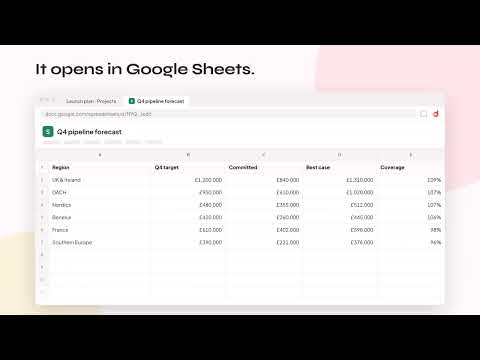
Drag any Word, Excel or PowerPoint file onto any page to open it in Google Docs, Sheets or Slides, saved to your own Drive.
Drop. Open. Done. Downloaded a Word doc, spreadsheet or deck and just want to open it in Google? Droply skips the download-folder shuffle, the Drive upload and the "Open with" menu. HOW IT WORKS • Drag a file over any web page and a drop card appears. Let go and the file opens in Google Docs, Sheets or Slides in a new tab. • Prefer clicking? Open the Droply side panel (toolbar icon or Alt+Shift+G) to see your recent Office downloads, and click one to open it. • When an Office file finishes downloading, the Droply icon shows a count so you know it's ready. • Drop several files at once and they open one after another. WORKS WITH Word, Excel, PowerPoint up to 100 MB. PRIVATE BY DESIGN • No servers. Files go directly from your browser to your own Google Drive. • Droply only asks Google for access to the files it creates. It can't see the rest of your Drive. • No analytics, no tracking, no ads. HANDY EXTRAS • Choose a Drive folder for converted files. • "Recently opened" list with links back to your Google files. • Works on pages built from embedded frames and on top of pop-up dialogs. • Light and dark mode. Note: Chrome doesn't allow extensions on its own pages (new tab, settings, Web Store, PDF viewer). Use the side panel there. Droply is an independent project and is not affiliated with, endorsed or sponsored by Google. Google Drive, Docs, Sheets and Slides are trademarks of Google LLC. Website: https://droplydocs.com
0 out of 5No ratings
Details
- Version1.0.0
- UpdatedNovember 16, 2026
- Size228KiB
- LanguagesEnglish
- DeveloperWebsite
Email
minosrhode@gmail.com - Non-traderThis developer has not identified itself as a trader. For consumers in the European Union, please note that consumer rights do not apply to contracts between you and this developer.
Privacy

Droply – Office Files to Google Docs, Sheets & Slides has disclosed the following information regarding the collection and usage of your data. More detailed information can be found in the developer's privacy policy.
Droply – Office Files to Google Docs, Sheets & Slides handles the following:
This developer declares that your data is
- Not being sold to third parties, outside of the approved use cases
- Not being used or transferred for purposes that are unrelated to the item's core functionality
- Not being used or transferred to determine creditworthiness or for lending purposes
Support
For help with questions, suggestions, or problems, visit the developer's support site