


Overview
Farm Twitch Drops with a campaign queue, live progress, auto-claim, and recovery controls — all from your browser.
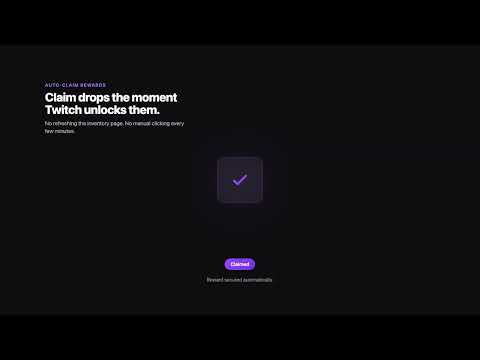
DropHunter automates the boring part of farming Twitch Drops: watching a stream, checking progress, and clicking claim. Sign in to Twitch in the same browser, open DropHunter, and click Go to Drops to sync your available campaigns. Pick one campaign or build a queue, then hit Start Farming. DropHunter opens an eligible stream, tracks the current reward, claims it as soon as Twitch marks it claimable, and moves on to the next campaign in the queue. Features - Campaign queue — line up multiple campaigns and drag to reorder before you start - Live status — current reward, progress and ETA when Twitch provides it; upcoming rewards sit separately under Pending - Campaign labels — tells apart multiple campaigns for the same game so you know what you're actually farming - Auto-claim — claims watch-time rewards the moment Twitch makes them available - Claim log — a local history of what you've claimed - Stream selection — low-view, random, or top-viewer, with an optional language filter - Pause / resume / stop, with optional auto-resume after a browser restart - Live monitor — a small separate window to keep an eye on progress - Optional alerts — desktop notifications, or Telegram messages if you set up your own bot and chat ID - Optional channel points claiming on open Twitch tabs - Local-first — queue, settings and farming state stay in your browser. No backend, no analytics, no tracking. Getting started 1. Sign in to Twitch in the same browser 2. Open DropHunter and click Go to Drops 3. Wait for campaigns to sync 4. Pick a campaign or build a queue 5. Click Start Farming Worth knowing - Only works on twitch.tv - Twitch decides campaign availability, watch-time progress and claim eligibility — DropHunter can't override that - Some rewards (subscriber-only ones, for example) can't be claimed automatically - A few streams need a manual player interaction before progress continues - Telegram alerts are off by default and only send anything if you configure and enable them DropHunter is not affiliated with, endorsed by, or sponsored by Twitch Interactive, Inc.
5 out of 51 rating
Details
- Version3.5.2
- UpdatedAugust 4, 2026
- Size152KiB
- LanguagesEnglish
- DeveloperWebsite
Email
info@marcotrevisani.com - Non-traderThis developer has not identified itself as a trader. For consumers in the European Union, please note that consumer rights do not apply to contracts between you and this developer.
Privacy

DropHunter has disclosed the following information regarding the collection and usage of your data. More detailed information can be found in the developer's privacy policy.
DropHunter handles the following:
This developer declares that your data is
- Not being sold to third parties, outside of the approved use cases
- Not being used or transferred for purposes that are unrelated to the item's core functionality
- Not being used or transferred to determine creditworthiness or for lending purposes
Support
For help with questions, suggestions, or problems, visit the developer's support site