


Tổng quan
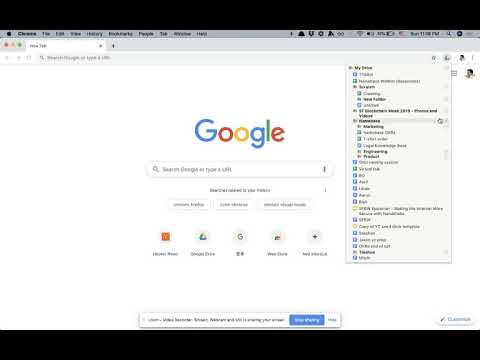
File explorer for Google Drive
- Browse and open files in one click - Quickly create Docs, Sheets, Slides, Forms, and Folders in any location (My Drive, subfolders, etc) - Right click any file/folder to copy its address or delete it - Drag and drop files/folders to move them You can open Drively by clicking on the extension icon, or by using the keyboard shortcut CTRL-D (configurable). *NOTE* Drively never talks to any servers and does absolutely nothing with your data. Read the open source code if you're curious. For more information, read the source code at https://github.com/troq/drively or ping me on Twitter @TieshunR
4,4/55 lượt xếp hạng
Chi tiết
- Phiên bản0.0.9
- Đã cập nhật12 tháng 12, 2019
- Kích thước31.98KiB
- Ngôn ngữEnglish
- Nhà phát triển
- Người bán phi thương mạiNhà phát triển này không tự nhận mình là người bán. Đối với người tiêu dùng ở Liên minh Châu Âu, xin lưu ý rằng các quyền của người tiêu dùng không được áp dụng trong hợp đồng giữa bạn và nhà phát triển này.
Quyền riêng tư

Hỗ trợ
Nếu bạn có câu hỏi, ý kiến đề xuất hoặc gặp vấn đề, vui lòng mở trang này bằng trình duyệt dành cho máy tính để được trợ giúp