Item logo image for Drive I/O - Bulk Copy Folders And Revoke Users In Google Drive

Drive I/O - Bulk Copy Folders And Revoke Users In Google Drive

driveio.io
Item media 6 (screenshot) for Drive I/O - Bulk Copy Folders And Revoke Users In Google Drive
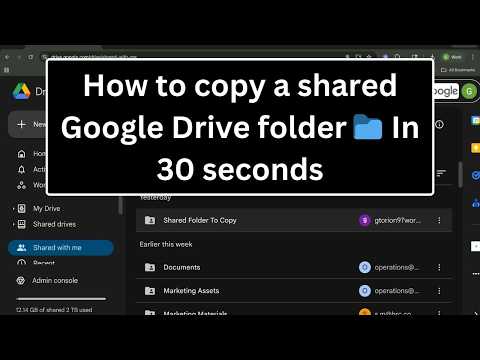
Item video thumbnail
Item media 2 (screenshot) for Drive I/O - Bulk Copy Folders And Revoke Users In Google Drive
Item media 3 (screenshot) for Drive I/O - Bulk Copy Folders And Revoke Users In Google Drive
Item media 4 (screenshot) for Drive I/O - Bulk Copy Folders And Revoke Users In Google Drive
Item media 5 (screenshot) for Drive I/O - Bulk Copy Folders And Revoke Users In Google Drive
Item media 6 (screenshot) for Drive I/O - Bulk Copy Folders And Revoke Users In Google Drive
Item video thumbnail
Item media 2 (screenshot) for Drive I/O - Bulk Copy Folders And Revoke Users In Google Drive
Item media 3 (screenshot) for Drive I/O - Bulk Copy Folders And Revoke Users In Google Drive
Item media 4 (screenshot) for Drive I/O - Bulk Copy Folders And Revoke Users In Google Drive
Item media 5 (screenshot) for Drive I/O - Bulk Copy Folders And Revoke Users In Google Drive
Item media 6 (screenshot) for Drive I/O - Bulk Copy Folders And Revoke Users In Google Drive

Overview

Duplicate multiple Google Drive folders in seconds and bulk-revoke user access across files — saving you hours of tedious clicking.

Get started for just $3/month (billed annually) with a 14-day free trial—no credit card required. To view our demos, visit this link: https://www.driveio.io/#demos 🔑 Key features: ✅ Copy multiple Google Drive folders 📁 in one go. ✅ Bulk delete 🗑 permissions from multiple Drive items. ✅ Secure and reliable with Google OAuth 🔐 integration. Say goodbye to tedious manual work and supercharge your Google Drive workflow with Drive I/O today! ✨

Details

  • Version
    0.2.3 early alpha
  • Updated
    January 22, 2026
  • Features
    Offers in-app purchases
  • Size
    5.41MiB
  • Languages
    English
  • Developer
    Website
    Email
    gtorion@driveio.io
  • Non-trader
    This developer has not identified itself as a trader. For consumers in the European Union, please note that consumer rights do not apply to contracts between you and this developer.

Privacy

Drive I/O - Bulk Copy Folders And Revoke Users In Google Drive has disclosed the following information regarding the collection and usage of your data. More detailed information can be found in the developer's privacy policy.

Drive I/O - Bulk Copy Folders And Revoke Users In Google Drive handles the following:

Personally identifiable information
User activity

This developer declares that your data is

  • Not being sold to third parties, outside of the approved use cases
  • Not being used or transferred for purposes that are unrelated to the item's core functionality
  • Not being used or transferred to determine creditworthiness or for lending purposes

Support

For help with questions, suggestions, or problems, visit the developer's support site

Related

CloudPrompt

4.5

Save, organize, and access your AI prompts instantly. Stored privately in your Google Drive.

Upload to Google Drive™

3.9

Boost productivity with Upload to Google Drive™ – save your photos, videos, files and other documents directly to Google Drive™

Saved passwords

5.0

Get instant access to Google saved passwords with Saved Passwords Chrome Extension. One-click access to your login credentials

Transfer Google Drive to Onedrive

5.0

Transfer files from Google Drive to Onedrive and vice versa. No download and re-upload.

Transfer OneDrive to Google drive

3.6

Transfer files from OneDrive to Google Drive, or Google Drive to OneDrive without downloading and re-uploading.

Folder Manager for Google Docs - Smart Document Organizer & Workspace

4.6

Organize Google Docs with custom folders. Create, manage, and sort documents effortlessly with our folder management system

Move Files from Box to Google Drive

3.0

This extension lets you directly transfer files from Box to Google Drive without download and upload.

Excalidrive

4.1

Open & Save Excalidraw files on your Google Drive

Cloud File Viewer

5.0

Chrome extension for easy file viewing on Google Cloud Storage with improved UI, stats, pagination, and search features.

Chrome Password Manager

5.0

Use Chrome Password Manager — secure access to my passwords and a faster, smarter way to use your google password manager.

Delete All Google Photos

5.0

Bulk delete tool for Google Photos, supporting one-click deletion of multiple photos.

Drive Folder Size Viewer

3.7

Calculate and display folder sizes on Google Drive with multi-user management

CloudPrompt

4.5

Save, organize, and access your AI prompts instantly. Stored privately in your Google Drive.

Upload to Google Drive™

3.9

Boost productivity with Upload to Google Drive™ – save your photos, videos, files and other documents directly to Google Drive™

Saved passwords

5.0

Get instant access to Google saved passwords with Saved Passwords Chrome Extension. One-click access to your login credentials

Transfer Google Drive to Onedrive

5.0

Transfer files from Google Drive to Onedrive and vice versa. No download and re-upload.

Transfer OneDrive to Google drive

3.6

Transfer files from OneDrive to Google Drive, or Google Drive to OneDrive without downloading and re-uploading.

Folder Manager for Google Docs - Smart Document Organizer & Workspace

4.6

Organize Google Docs with custom folders. Create, manage, and sort documents effortlessly with our folder management system

Move Files from Box to Google Drive

3.0

This extension lets you directly transfer files from Box to Google Drive without download and upload.

Excalidrive

4.1

Open & Save Excalidraw files on your Google Drive

Google apps