


Overview
One click. Your audit is granted. Audit Google Drive permissions and revoke access in seconds.
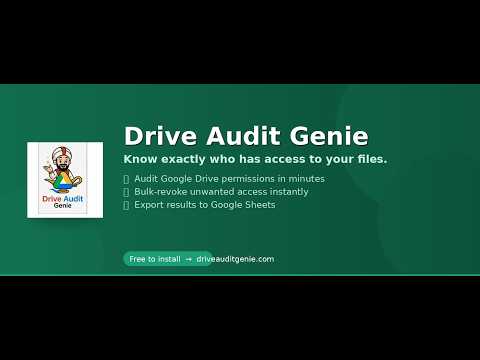
🧞 Drive Audit Genie: Total Security & Permission ControlStop "Shadow Sharing" before it becomes a data breach.In a world of remote work and rapid collaboration, Google Drive permissions can quickly become a tangled web of "anyone with the link" and former employees who still have access to your sensitive intellectual property. Drive Audit Genie is the professional-grade security lamp that uncovers every hidden sharing link and gives you the power to revoke them with a single wish. 🛡️ Why You Need the GenieStandard Google Drive tools make it nearly impossible to see a "bird's-eye view" of your security. You have to click every folder, every file, and every sub-menu just to see who has access.Drive Audit Genie changes the game by:Scanning Deep: We don’t just look at the surface; we crawl your entire Drive (and Shared Drives) to find every single person with access.Reporting Clearly: We deliver your results into a beautifully formatted Google Sheet, organized by person, so you can see exactly "Who has what."Acting Instantly: From that same spreadsheet, you can mark users for revocation and the Genie will surgically remove their access in the background. 🚀 Key Features & Functionality 1. High-Velocity Cloud AuditsUnlike basic scripts that time out after 6 minutes, our Cloud Run backend handles audits of up to 750,000+ files. You can start an audit, close your laptop, and go to the beach. The Genie stays awake in the cloud, finishing the job and emailing you when the results are ready in your spreadsheet. 2. Surgical Revocation (Bulk or Cherry-Pick)Bulk Revoke: Clean up entire accounts (like former contractors or clients) in one click.Cherry-Pick: Use our Surgical Precision tool to remove access to specific files while keeping others active. Perfect for ongoing projects where roles change. 3. Automated Owner ReportsKeep your team accountable. The Genie can automatically email file owners a summary of what they are sharing externally, prompting them to clean up their own digital footprint. 4. Enterprise-Grade SchedulingSet your security on autopilot. Schedule audits to run:Daily: For high-security environments.Weekly: To keep your permissions fresh every Monday morning.Monthly: For routine compliance and "clean-desk" policies. 5. 👑 The Admin Genie (Domain-Wide Control)Designed for Google Workspace Super Admins, this tier unlocks the ultimate power:Domain-Wide Delegation (DWD): Audit every user in your domain without needing their passwords.OU Targeting: Run audits specifically for your "Sales" or "Accounting" Organizational Units.Employee Offboarding: The fastest way to transfer a departing employee's files to a manager and revoke all their external shares in one go. 🔒 Security & Privacy FirstWe take your data seriously.OAuth 2.0: We use Google’s most secure authorization protocols.Encryption: All communication between your Drive and our backend is encrypted via HTTPS.No Data Storage: We do not "keep" your files. We scan them, write the results to your spreadsheet, and the data remains in your Google ecosystem.Service Account Protection: All write-back actions are handled via a dedicated, secure Google Service Account. 🛠️ Getting Started in 30 SecondsInstall: Add the Genie to your Google Workspace or Chrome browser.Authorize: Grant the Genie permission to scan your Drive (this is a one-time setup).Audit: Click "🚀 Start Full Audit" on the home screen.Review: Open the generated "Drive Audit Genie — Results" spreadsheet and see your security status in real-time. 📝 What’s New in v2.0.53 Enhanced Navigation: A redesigned 5-button top-nav for faster switching between Home, Revoke, Schedule, Settings, and Admin Genie.Auth-Gate Fixes: Improved one-time OAuth setup for Admin Genie users to ensure domain-wide audits never skip a beat.Performance Metrics: Now see exactly how long your audit took down to the minute.UI Polish: Color-coded status badges (Green for Complete, Gold for Admin Genie, Blue for Enterprise) for a more intuitive experience.Stop guessing who has access to your data. Summon the Genie and secure your Drive today!Visit us at driveauditgenie.com for full tutorials and enterprise pricing.
1 out of 51 rating
Details
- Version1.0.0
- UpdatedMay 13, 2026
- FeaturesOffers in-app purchases
- Size73.34KiB
- LanguagesEnglish (United States)
- DeveloperWebsite
Email
anthony@driveauditgenie.com - Non-traderThis developer has not identified itself as a trader. For consumers in the European Union, please note that consumer rights do not apply to contracts between you and this developer.
Privacy

Drive Audit Genie has disclosed the following information regarding the collection and usage of your data. More detailed information can be found in the developer's privacy policy.
Drive Audit Genie handles the following:
This developer declares that your data is
- Not being sold to third parties, outside of the approved use cases
- Not being used or transferred for purposes that are unrelated to the item's core functionality
- Not being used or transferred to determine creditworthiness or for lending purposes
Support
For help with questions, suggestions, or problems, please open this page on your desktop browser