


Overview
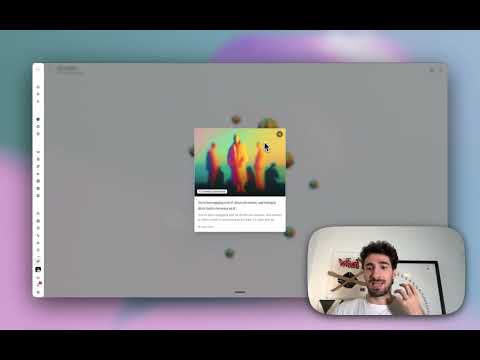
Open your Drimmly AI Companion on any website — ask questions, use voice, capture a screenshot, and run Drimmly actions.
Your learning should not stop when you leave Drimmly. Drimmly AI Companion brings your personal AI student advisor into the websites and tools you already use. Open it while researching, studying, designing, writing, building, or learning new software. Ask questions without leaving the page, use your voice, capture what you can see, and get help based on the context in front of you. 🔐 A DRIMMLY ACCOUNT IS REQUIRED This extension is built for existing Drimmly students. You must have a Drimmly account and be signed in at drimmly.com to use the companion. Drimmly AI Companion is not a separate chatbot and does not create a second account. It connects securely to your existing Drimmly experience, goals, and learning journey. ✨ WHAT YOU CAN DO 🧠 Ask questions while you learn Open the companion on the website you are using and ask for help without switching tabs. You can: • Ask for a simpler explanation • Select text and ask what it means • Turn difficult information into clear steps • Ask for examples connected to your studies or future career • Get unstuck while using an unfamiliar tool • Check your understanding before moving forward 📸 Capture your screen and ask about it Some questions are easier to show than explain. Choose the screenshot option to capture the visible part of your current tab and ask Drimmly what you are looking at. Use it to understand an interface, an error message, a chart, a document, a design, a form, or the next step in a task. Screenshots are only captured when you choose to capture one. 🎙 Talk to your companion Use voice when typing would slow you down. Ask a question, explain what you are trying to do, or think through a problem naturally while you stay focused on the task. ⌨️ Open Drimmly in seconds You can open or close the companion by: • Clicking the Drimmly extension icon • Pressing Command + Shift + K on Mac • Pressing Ctrl + Shift + K on Windows or ChromeOS • Pressing Command + K or Ctrl + K on websites where you have enabled Drimmly The companion appears as a focused panel on top of the page, so you can continue working in the website behind it. 🛠 Learn real tools by using them Future jobs require more than knowing the theory. They require knowing how to use the tools that real teams work with. Use Drimmly AI Companion while learning design tools, spreadsheets, presentation software, productivity platforms, coding environments, research tools, and other professional software. For example, you can open the companion while working in Canva, Figma, Notion, Google Sheets, a coding platform, or another browser-based tool and ask: • What should I do next? • What does this button or setting mean? • How can I improve what I created? • Why am I getting this error? • How would someone use this tool in a real job? • Can you explain this process step by step? Drimmly is not affiliated with or endorsed by the third-party websites and tools you choose to use. 🎯 Connect learning to your future Drimmly helps you prepare for the roles and companies you care about before graduation. When a future role requires a specific skill or software stack, the companion helps you learn inside the real environment instead of only reading about it. Your questions and learning activity can stay connected to your Drimmly journey, helping the companion support you when you return to your dashboard. The goal is simple: learn by doing, understand what you are doing, and build evidence that you can use the tools your future work may require. 🚀 HOW TO GET STARTED Create or access your account at drimmly.com. Sign in to Drimmly in Chrome. Install the Drimmly AI Companion extension. Open any supported website. Click the extension icon or use the keyboard shortcut. Ask a question, select text, use voice, or capture the visible screen. On websites you use often, choose to enable Drimmly on that site so the Command + K or Ctrl + K shortcut remains available after future page loads. 🔒 YOU STAY IN CONTROL Drimmly AI Companion is designed to work when you actively open and use it. • It does not continuously record your screen. • It does not automatically capture screenshots. • A screenshot is captured only after you request it. • The screenshot contains only the visible area of the active browser tab. • When the companion opens, it can receive the current page URL, page title, and text you have actively selected so it can understand your question. • Optional site access is requested one website at a time when you choose to enable Drimmly there. • You can review or remove site permissions at any time through Chrome’s extension settings. • Voice requires microphone access and is used when you choose the voice feature. • Drimmly does not open on protected browser pages such as chrome:// pages. For more information about how Drimmly handles information, review the Drimmly Privacy Policy. 📚 BUILT FOR STUDENTS WHO WANT MORE Install Drimmly AI Companion if you want to: • Understand difficult ideas faster • Learn new software with support beside you • Get help without constantly changing tabs • Connect what you study to real skills • Practise using the tools required by future roles • Turn browsing, building, and researching into part of your Drimmly learning journey Your dashboard shows you where you want to go. Your companion helps you keep learning while you get there. For Dreamers Only* ig @drimmly tiktok @drimmly
5 out of 51 rating
Details
- Version1.6.0
- UpdatedOctober 7, 2026
- Size40.37KiB
- LanguagesEnglish
- DeveloperDrimmly AI LtdWebsite
71‑75 Shelton Street London WC2H 9JQ GBEmail
alexis@drimmly.comPhone
+34 644 41 24 86 - TraderThis developer has identified itself as a trader per the definition from the European Union and committed to only offer products or services that comply with EU laws.
- D-U-N-S234485123
Privacy

Drimmly AI Companion has disclosed the following information regarding the collection and usage of your data. More detailed information can be found in the developer's privacy policy.
Drimmly AI Companion handles the following:
This developer declares that your data is
- Not being sold to third parties, outside of the approved use cases
- Not being used or transferred for purposes that are unrelated to the item's core functionality
- Not being used or transferred to determine creditworthiness or for lending purposes
Support
For help with questions, suggestions, or problems, please open this page on your desktop browser