

Dragon Web Extension
770 件の評価
)
概要
Dragon Web Extension for Chrome
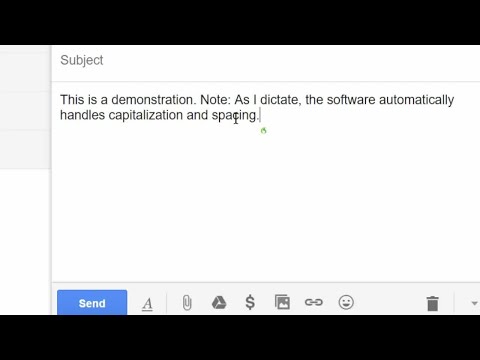
For Dragon 13 or later, this extension gives Dragon's full power in Chrome: - clicking objects by name (e.g. say "Click Contact" for a link named Contact) - enhanced dictating and editing (note: in Google Docs, you can work directly or indirectly) See our video! To enable the extension, click “Add to Chrome,” confirm, then refresh (bookmark this page in case you later want it). To see that it's enabled: in Chrome, click the menu icon > Settings > Extensions and look for Dragon Web Extension: a. If its "Enable" box is empty, click it. b. If the extension is absent, return to this store page and click “Add to Chrome." For details, please see Dragon's Help menu and www.nuance.com/dragon.
5 点満点で 2.1770 件の評価
詳細
- バージョン15.7.100.1674
- 更新:2024年10月24日
- 提供元Nuance Communications, Inc.
- サイズ225KiB
- 言語6 言語
- デベロッパーNUANCE COMMUNICATIONS, INC.
1 Wayside Rd Burlington, MA 01803-4609 USメール
DragonInfo@nuance.com電話
+1 857-214-6311 - トレーダーデベロッパーは、欧州連合の定義に基づき、取引業者として申告し、EU の法律を遵守した商品やサービスのみを提供することを約束しています。
- D-U-N-S797407517
プライバシー

このデベロッパーは、お客様のデータについて以下を宣言しています
- 承認されている以外の用途で第三者に販売しないこと
- アイテムの中心機能と関係のない目的で使用または転送しないこと
- 信用力を判断する目的または融資目的で使用または転送しないこと
サポート
質問や提案、問題がある場合は、デベロッパーのサポートサイトにアクセスしてください。