


Overview
Page translation that drafts on your device in a second, then refines with the AI model of your choice.
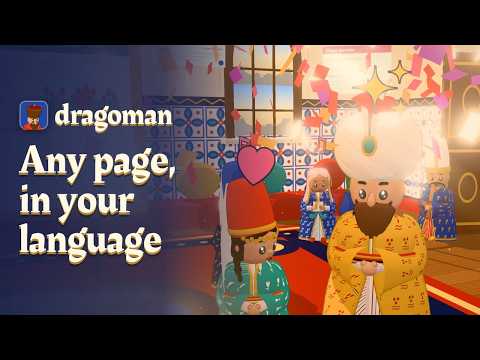
dragoman translates web pages right where they are. The layout, links, and images stay put; only the words change. Hover over any paragraph to read the original. Two passes, so you never wait • Chrome's built-in on-device translator drafts every paragraph within a second. It runs on your computer and is separate from Chrome's online page translation. Where it isn't available, dragoman uses Bergamot, the open engine behind Firefox Translations. No page text leaves your computer for this. • If you add an AI model, it then rewrites the paragraphs you are reading, using the whole page as context, so names, terms, and tone come out right. Bring your own model Use a key from the AI provider you already have, any server that speaks the OpenAI chat completions API, or a model running on your own computer. The settings page lists every provider dragoman supports. Your key stays in your browser, and requests go straight to the provider. dragoman has no server, no account, and no analytics. Pay only for what you read Refinement follows your scrolling, so a long page costs only the part you actually look at. Turn on cost display to see what each page costs, translate the whole page at once when you want it all, or skip on-device drafts and send pages straight to your model. Translate automatically, or be asked Pick languages to translate as soon as a page opens. Turn off any site, or a whole domain, from the popup or the page. For other languages you don't read, the dragoman offers to translate. Pages with a password field always wait until you ask. No double translation dragoman asks Chrome's own page translation to stay out of the way on pages it translates, so you never get a page translated twice. If Chrome translated a page first, one click reloads it in the original for dragoman. Made with care • 85 interface languages, including Kurmanji, Sorani, and Ottoman Turkish • Six dragoman characters, interpreters of the Ottoman court, ride along on the page badge. Keep yours on the edge of every page, and select any text for them to translate it • Hide the dragoman until your browser restarts, on every tab at once • Clear messages when something goes wrong, like a rejected key, used-up credits, or a rate limit • Alt+Shift+T (⌥⇧T on Mac) translates or restores any page Free and open source under the MIT license.
0 out of 5No ratings
Details
- Version1.0.4
- UpdatedOctober 17, 2026
- Size5.84MiB
- LanguagesEnglish
- DeveloperWebsite
Email
firat@firatciftci.com - Non-traderThis developer has not identified itself as a trader. For consumers in the European Union, please note that consumer rights do not apply to contracts between you and this developer.
Privacy

dragoman has disclosed the following information regarding the collection and usage of your data. More detailed information can be found in the developer's privacy policy.
dragoman handles the following:
This developer declares that your data is
- Not being sold to third parties, outside of the approved use cases
- Not being used or transferred for purposes that are unrelated to the item's core functionality
- Not being used or transferred to determine creditworthiness or for lending purposes
Support
For help with questions, suggestions, or problems, visit the developer's support site