Item logo image for dragbook

dragbook

5.0(

2 ratings

)
Item media 6 (screenshot) for dragbook
Item video thumbnail
Item media 2 (screenshot) for dragbook
Item media 3 (screenshot) for dragbook
Item media 4 (screenshot) for dragbook
Item media 5 (screenshot) for dragbook
Item media 6 (screenshot) for dragbook
Item video thumbnail
Item media 2 (screenshot) for dragbook
Item media 3 (screenshot) for dragbook
Item media 4 (screenshot) for dragbook
Item media 5 (screenshot) for dragbook
Item media 6 (screenshot) for dragbook

Overview

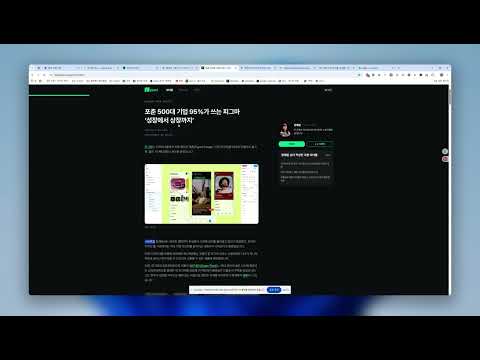
문구를 드래그하고 우클릭 한 번으로 교보문고 도서를 찾아보세요. 매일 신간 알림까지!

웹 서핑이 독서의 시작이 되는 순간 💡 이런 경험, 있으셨나요? - 블로그 글을 읽다가 언급된 책이 궁금해서 여러 탭을 열어 검색하느라 집중력이 흩어진 경험 - 뉴스 기사에서 본 저자명이나 키워드로 관련 도서를 찾고 싶었지만 번거로워서 포기한 순간들 - 새로 출간된 책 정보를 놓쳐서 나중에 아쉬워했던 기억 - 읽고 싶은 책들을 기억해두려 했지만 시간이 지나면서 잊어버린 아픔 🎯 원하는 도서를 찾는 혁신적인 방법 웹페이지에서 흥미로운 텍스트를 드래그하는 순간, 마법이 시작됩니다. 복잡한 검색 과정 없이, 현재 페이지를 벗어나지 않고도 교보문고의 방대한 도서 데이터베이스에서 관련 도서를 즉시 만나보세요. 🔔 놓칠 수 없는 신간 알림 서비스 매일 쏟아지는 신간 도서 중에서 놓치고 싶지 않은 책들이 있으신가요? 맞춤 시간 설정으로 받는 신간 알림으로 항상 최신 도서 트렌드를 놓치지 마세요. 🚀 1단계로 완성되는 독서 혁신 드래그: 궁금한 텍스트를 드래그 후 우클릭 한 번(또는 ctrl+b 단축키)으로 현재 화면에서 바로 교보 문고의 도서를 검색가능 🎁 특별한 혜택들: • 완전 무료: 모든 핵심 기능을 무료로 제공 • 즉시 사용: 복잡한 설정 없이 설치 후 바로 사용 💝 특별한 가치 DragBook은 웹 서핑의 매 순간을 독서 발견의 기회로 바꿔드립니다. 더 이상 좋은 책을 놓치는 아쉬움은 없습니다.

Details

  • Version
    1.0.1
  • Updated
    September 16, 2025
  • Offered by
    linuxer76
  • Size
    1.31MiB
  • Languages
    한국어
  • Developer
    Email
    linuxer76@gmail.com
  • Non-trader
    This developer has not identified itself as a trader. For consumers in the European Union, please note that consumer rights do not apply to contracts between you and this developer.

Privacy

The developer has disclosed that it will not collect or use your data.

This developer declares that your data is

  • Not being sold to third parties, outside of the approved use cases
  • Not being used or transferred for purposes that are unrelated to the item's core functionality
  • Not being used or transferred to determine creditworthiness or for lending purposes

Related

구노 (GOONO) - 3초 완성 전자연구노트

5.0

클릭 한 번으로 웹페이지를 캡처해 연구노트에 업로드하세요!

MarkPlus-M

4.0

扩展书签的功能,增加额外字段用于查询和整理。

BookFinder: Smart reading list manager

5.0

Search book recommendations and manage your reading list from any webpage.

KDP Miner

4.2

Simplify and automate keyword analysis on Amazon. Spy on hundreds of kindle, paperback, and audiobook data with just a few clicks.

Multi Highlight

3.4

Efficiently and flexibly highlight your online reading.

Bookmark Manager + Quick Search

5.0

Search, organize, and manage your bookmarks the smart way. Instant results every time.

Text Grabber: Save as Text & PDF

0.0

Capture highlighted text and save as .txt or .pdf with right-click. Perfect for research and note-taking.

OneSearch: Bookmark & Multi-AI Searcher

5.0

Easily search bookmarks and explore multiple AI engines with one key.

Readwell Screen Reader

2.7

Readwell Delivers Ad-Free, Customizable, and Fast Reading Like Never Before!

GoodPlan (no overriding of your home page)

4.0

A streamlined, user-friendly journal app for daily use! Designed to maximize your efficiency and save precious time!

Highlighty: Search, Find, Multi Highlight

4.0

Searching and Multi Highlighting made effortless! It's the most efficient way to find and highlight any text on the web.

Precios de Buscalibre todos los países

4.9

Extensión para conocer el historial de precios de los libros de buscalibre (todos los países) y así ahorrar dinero.

구노 (GOONO) - 3초 완성 전자연구노트

5.0

클릭 한 번으로 웹페이지를 캡처해 연구노트에 업로드하세요!

MarkPlus-M

4.0

扩展书签的功能,增加额外字段用于查询和整理。

BookFinder: Smart reading list manager

5.0

Search book recommendations and manage your reading list from any webpage.

KDP Miner

4.2

Simplify and automate keyword analysis on Amazon. Spy on hundreds of kindle, paperback, and audiobook data with just a few clicks.

Multi Highlight

3.4

Efficiently and flexibly highlight your online reading.

Bookmark Manager + Quick Search

5.0

Search, organize, and manage your bookmarks the smart way. Instant results every time.

Text Grabber: Save as Text & PDF

0.0

Capture highlighted text and save as .txt or .pdf with right-click. Perfect for research and note-taking.

OneSearch: Bookmark & Multi-AI Searcher

5.0

Easily search bookmarks and explore multiple AI engines with one key.

Google apps