


Tổng quan
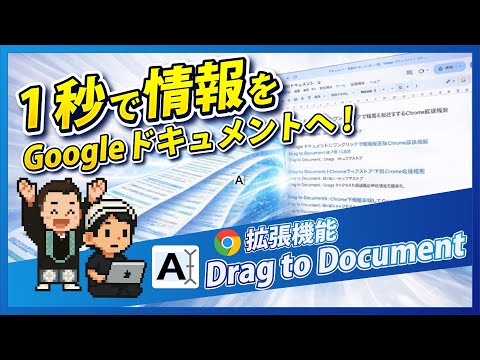
Appends dragged text to Google Docs.
Instantly Organize and Save Web Information to Your Google Docs! "Drag to Document" is a Chrome extension that makes saving text information from websites to your Google Docs incredibly easy and efficient. Whether it's a passage from an article, important information, or content you want to reread later, simply drag and drop any text, and it will be automatically appended to your specified Google Doc. Since information is continuously added to a single Google Docs file, this means it can be synced as a source for NotebookLM! This is an essential extension for anyone looking to maximize their NotebookLM usage. Do you have these concerns? ✓ Tedious to copy and paste website information into Notepad or other apps... ✓ Information scattered everywhere during research, making it hard to find later... ✓ Find it troublesome to manually compile information into Google Docs... "Drag to Document" will solve your information organization woes! Key Features 1. Intuitive Drag & Drop Operation Select any text on a webpage and simply drag it to send it directly to your Google Doc. 2. Multiple Sending Methods: After dragging text, you can send it to your Google Doc using one of the following methods: * Click the Extension Icon: Click the "Drag to Document" icon in your browser's toolbar. * Send from Right-Click Menu: Right-click on the selected text and choose "Send to Google Document." * Shortcut Key: Press your set shortcut key (default is Ctrl+Shift+S or Command+Shift+S). 3. Customizable Delimiter You can freely set the delimiter that is inserted before the appended text. You can also automatically insert information like the page title, URL, and date. This makes it instantly clear where each piece of information came from when you review it later. 4. Secure Google Account Integration "Drag to Document" uses Google's secure authentication system (OAuth 2.0) to link with your Google account. You can safely grant access to your Google Docs without saving your password. "Drag to Document" Use Cases Research & Information Gathering: Quickly summarize necessary information from papers and articles into Google Docs for later analysis and use. * Blog & Content Creation: Temporarily save useful phrases and ideas to boost writing efficiency. * Learning & Reading: Extract important sections from online learning materials and e-books to create your own notes. * Daily Memos: Easily record information about interesting shops, recipes, travel plans, and more. Privacy Policy "Drag to Document" prioritizes your privacy. This extension only collects your Google account information, which is necessary for accessing Google Docs, and the text information you explicitly instruct it to send. This information is not stored within the extension after the appending process to Google Docs is complete. For more details, please visit https://yossense.com/drag-to-document/. Install "Drag to Document" now and supercharge your information organization!
5/51 lượt xếp hạng
Chi tiết
- Phiên bản1.7.1
- Đã cập nhật24 tháng 1, 2026
- Kích thước40.0KiB
- Ngôn ngữ2 ngôn ngữ
- Nhà phát triểnTrang web
Email
info@yossense.com - Người bán phi thương mạiNhà phát triển này không tự nhận mình là người bán. Đối với người tiêu dùng ở Liên minh Châu Âu, xin lưu ý rằng các quyền của người tiêu dùng không được áp dụng trong hợp đồng giữa bạn và nhà phát triển này.
Quyền riêng tư

Drag to Document đã công bố thông tin sau đây liên quan đến việc thu thập và sử dụng dữ liệu của bạn. Bạn có thể xem thêm thông tin chi tiết trong privacy policy của nhà phát triển.
Drag to Document xử lý dữ liệu sau:
Nhà phát triển này tuyên bố rằng dữ liệu của bạn
- Không được bán cho bên thứ ba, ngoài những trường hợp sử dụng đã được phê duyệt
- Không được sử dụng hoặc chuyển nhượng cho các mục đích không liên quan đến chức năng chính của mặt hàng
- Không được sử dụng hoặc chuyển nhượng để xác định khả năng thanh toán nợ hoặc phục vụ mục đích cho vay
Hỗ trợ
Nếu bạn có câu hỏi, ý kiến đề xuất hoặc gặp vấn đề, hãy truy cập trang web hỗ trợ của nhà phát triển để được trợ giúp