


Présentation
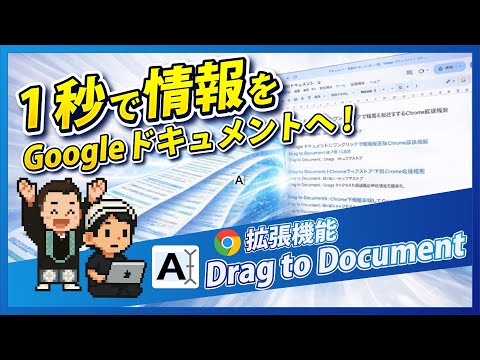
Appends dragged text to Google Docs.
Instantly Organize and Save Web Information to Your Google Docs! "Drag to Document" is a Chrome extension that makes saving text information from websites to your Google Docs incredibly easy and efficient. Whether it's a passage from an article, important information, or content you want to reread later, simply drag and drop any text, and it will be automatically appended to your specified Google Doc. Since information is continuously added to a single Google Docs file, this means it can be synced as a source for NotebookLM! This is an essential extension for anyone looking to maximize their NotebookLM usage. Do you have these concerns? ✓ Tedious to copy and paste website information into Notepad or other apps... ✓ Information scattered everywhere during research, making it hard to find later... ✓ Find it troublesome to manually compile information into Google Docs... "Drag to Document" will solve your information organization woes! Key Features 1. Intuitive Drag & Drop Operation Select any text on a webpage and simply drag it to send it directly to your Google Doc. 2. Multiple Sending Methods: After dragging text, you can send it to your Google Doc using one of the following methods: * Click the Extension Icon: Click the "Drag to Document" icon in your browser's toolbar. * Send from Right-Click Menu: Right-click on the selected text and choose "Send to Google Document." * Shortcut Key: Press your set shortcut key (default is Ctrl+Shift+S or Command+Shift+S). 3. Customizable Delimiter You can freely set the delimiter that is inserted before the appended text. You can also automatically insert information like the page title, URL, and date. This makes it instantly clear where each piece of information came from when you review it later. 4. Secure Google Account Integration "Drag to Document" uses Google's secure authentication system (OAuth 2.0) to link with your Google account. You can safely grant access to your Google Docs without saving your password. "Drag to Document" Use Cases Research & Information Gathering: Quickly summarize necessary information from papers and articles into Google Docs for later analysis and use. * Blog & Content Creation: Temporarily save useful phrases and ideas to boost writing efficiency. * Learning & Reading: Extract important sections from online learning materials and e-books to create your own notes. * Daily Memos: Easily record information about interesting shops, recipes, travel plans, and more. Privacy Policy "Drag to Document" prioritizes your privacy. This extension only collects your Google account information, which is necessary for accessing Google Docs, and the text information you explicitly instruct it to send. This information is not stored within the extension after the appending process to Google Docs is complete. For more details, please visit https://yossense.com/drag-to-document/. Install "Drag to Document" now and supercharge your information organization!
5 sur 51 avis
Détails
- Version1.7.1
- Dernière mise à jour24 janvier 2026
- Taille40.0KiB
- Langues2 langues
- DéveloppeurSite Web
E-mail
info@yossense.com - Non-professionnelCe développeur ne s'est pas identifié comme professionnel. Pour les consommateurs de l'Union européenne, veuillez noter qu'il est possible que les droits des consommateurs ne s'appliquent pas aux contrats entre vous et ce développeur.
Confidentialité

Drag to Document a fourni les informations suivantes sur la collecte et l'utilisation de vos données. Pour plus d'informations, consultez les privacy policy du développeur.
Drag to Document gère les éléments suivants :
Ce développeur déclare que vos données :
- Ne seront pas vendues à des tiers en dehors des cas d'utilisation approuvés.
- Ne seront ni utilisées ni transférées à des fins sans rapport avec la fonctionnalité de base de l'article.
- Ne seront ni utilisées ni transférées pour déterminer votre solvabilité ou en vue de vous proposer un prêt.
Assistance
Pour obtenir de l'aide concernant des questions, des suggestions ou des problèmes, consultez le site d'assistance du développeur.