

Download Visualforce Page/Component Code

Descripción general
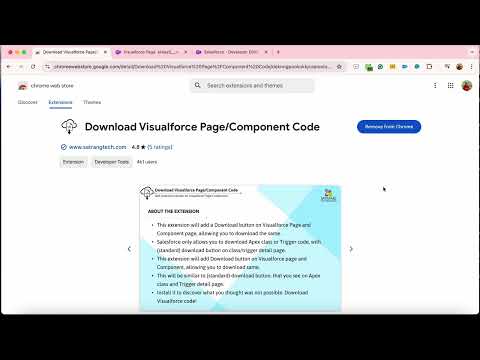
This extension will add Download button on Visualforce Page and Component page allowing you to download same.
Do you want to download Visualforce page or component code? With this Chrome Extension, now you can. Salesforce only allows you to download Apex class or trigger code via the standard Download button on the class or trigger detail page. This extension fills that gap - it adds a Download button directly on Visualforce Page and Component detail pages in Salesforce Classic, so you can download the source code exactly the same way you would for an Apex class. What it does: - Adds a Download button on Visualforce Page and Component detail pages in Salesforce Classic - One click downloads the source code directly to your local machine - Filename and extension (.page or .component) set automatically from the page description - no renaming needed - Tracks how many Visualforce files you have downloaded in the current session via a badge counter on the toolbar icon - Multilingual support - works regardless of your Salesforce UI language, including English, German, French, Italian, Japanese, Swedish, Korean, Chinese (Traditional and Simplified), Portuguese, Dutch, Danish, Thai, Finnish, Russian, Spanish, and Norwegian Why use it: Salesforce developers and admins regularly need to download Visualforce code for backups, version control, peer review, or migration. Without this extension, there is no native way to do it from the detail page. Install it once and the Download button is always there when you need it. Note: Works in Salesforce Classic. Visualforce detail pages in Lightning Experience are not supported due to platform limitations. Version 4.1.2 updates: - Sticky header on settings page - blue gradient header stays fixed while scrolling - New Quality Report page linked from settings footer - shows all build, runtime and manual checks with filter and search - Live settings sync - settings page updates in real time if changed from another tab - Fixed email icon opening a blank tab - Fixed Copy Link button showing duplicate text on click - Footer redesign with Satrang Technologies logo, powered-by row and privacy row - Download button now also works when navigating from Lightning Setup context (salesforce-setup.com URLs) - YouTube thumbnails on settings page corrected for all 9 apps Explore all our Salesforce AppExchange apps: https://satrangtech.com/products.htm#chrome-extensions View release notes: https://docs.google.com/document/d/1DBWGMDX6D_xpdgZfu_6vpcWKQ_oi9lPHvzAFqxlSO_U/edit?tab=t.0
4.8 de 55 calificaciones
Detalles
- Versión4.1.2
- Fecha de actualización9 de junio de 2026
- Tamaño42.1KiB
- IdiomasEnglish
- DesarrolladorSatrang TechnologiesSitio web
1403-1404, Accord Classic Goregaon East Mumbai, Maharashtra 400063 INCorreo electrónico
chirag+chrome@satrangtech.com - No comercianteEl desarrollador no se identificó como comerciante. Si eres un consumidor de la Unión Europea, ten en cuenta que los derechos de los consumidores no aplican a los contratos entre el desarrollador y tú.
Privacidad

Este desarrollador declara el siguiente tratamiento de tus datos:
- No se venden a terceros, excepto en los casos de uso aprobados
- No se utilizan ni transfieren para fines no relacionados con la funcionalidad principal del elemento
- No se utilizan ni transfieren para determinar tu solvencia ni ofrecer préstamos
Asistencia
Si tienes preguntas, sugerencias o problemas, abre esta página en tu navegador para computadoras